

Lead Assignment Automation: How to Distribute Leads Without Manual Work
31 Oct, 2026
Summary Lead Assignment Software helps businesses automatically distribute incoming leads...
Updated: 31st October, 2026
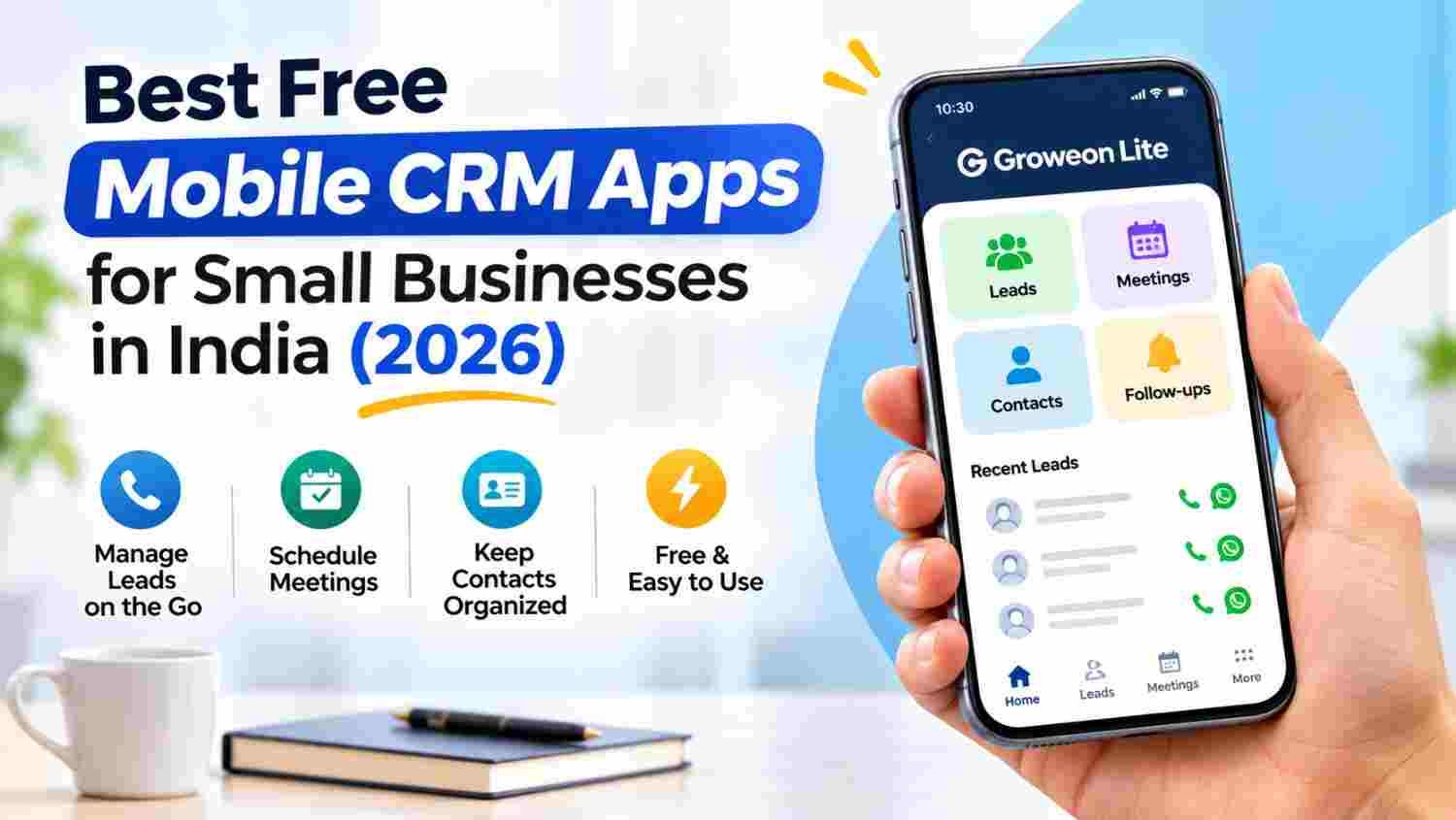
A free mobile CRM app helps small businesses manage leads, contacts and customer follow-ups directly from their smartphones.
The right mobile CRM can reduce manual work, organise sales activities and keep customer information accessible while working on the move.
This guide compares popular options, including Groweon Lite, Zoho CRM, HubSpot, Bigin and Privyr, based on their mobile capabilities and suitability for small businesses.
Discover the features to evaluate, the limitations to check and how to choose a free mobile CRM app that supports your business as it grows.
Business conversations do not happen only in offices. A customer may enquire through WhatsApp, a salesperson may meet a prospect at an exhibition, and a business owner may receive a new enquiry while travelling.
When customer information is scattered across phone contacts, notebooks, spreadsheets and messaging apps, managing these interactions becomes difficult.
A mobile CRM app brings important customer and sales information together on a smartphone. It helps businesses record enquiries, access contact details, organise sales opportunities and manage follow-up activities without depending on a desktop computer.
For Indian small businesses, this is especially useful when teams handle:
Instead of treating every customer interaction as a separate activity, a mobile CRM helps create a more organised customer management process.
A free mobile CRM app is a customer relationship management application that allows users to manage customer information and sales activities from Android or iOS devices without paying for the basic version.
Depending on the application, users may be able to:
However, free CRM offerings are not identical. Some providers offer a free mobile application connected to a CRM account, while others provide a separate free CRM plan with limits on users, contacts, storage or features.
Before choosing an app, understand exactly what is free.
The following options serve different business requirements. They are not identical products, and their free access, available features and platform support differ.
| Mobile CRM App | Best Suited For | Key Mobile Capabilities |
|---|---|---|
| Groweon Lite | Small businesses, freelancers and sales professionals | Lead management, contacts, follow-ups, meetings, OCR business-card scanning |
| Zoho CRM | Businesses needing a broader CRM ecosystem | Lead and contact records, tasks, calls, meetings and mobile access |
| HubSpot CRM | Small businesses focused on inbound sales | Contact management, deal tracking, tasks and customer activity |
| Bigin by Zoho | Individuals and small businesses starting with pipelines | Contact management, sales pipelines and activity tracking |
| Privyr | Mobile-first sellers managing incoming enquiries | Lead notifications and quick customer communication |
Note: Free access and feature availability depend on the provider’s current plan, account and platform. Check the official product and pricing pages before making a decision.
Best for: Small business owners, freelancers, sales professionals and field representatives who want to manage everyday customer activities from their smartphones.
Groweon Lite is a free mobile CRM app designed to help businesses manage leads, customers, contacts and sales activities without starting with an expensive CRM subscription.
Instead of maintaining separate customer lists and manually searching through phone contacts, users can access important business information through one mobile application.
Key features:
One useful workflow is converting a physical business card into a digital business contact, creating a lead and continuing the follow-up process from the same mobile environment.
Groweon Lite is available for Android and iOS, according to its product page.
Why consider Groweon Lite?
It brings several everyday business activities together in a mobile-first experience. It is particularly relevant to businesses that attend exhibitions, meet customers outside the office or need a simple way to organise leads and customer information.
Explore: Groweon Lite – Free Mobile CRM App
Best for: Businesses that want a broader CRM ecosystem and configurable customer management processes.
Zoho CRM provides mobile access to customer records and sales activities. Its mobile application helps users manage leads, contacts, accounts, deals, tasks and meetings while away from their desks.
Key mobile capabilities:
Zoho also provides business-card scanning and AI-assisted capabilities in eligible editions.
What to consider: Zoho has a broad feature ecosystem, but the available functionality depends on the selected edition. Businesses should check which features are included in the free plan rather than assuming every mobile feature is free.
Official resource: Zoho CRM Mobile App
Best for: Small businesses that generate leads through websites, content marketing and digital campaigns.
HubSpot provides a mobile application that connects users to customer records and sales activities. It can be useful for teams that want to access customer information and manage opportunities while travelling.
Key mobile capabilities:
HubSpot offers free CRM tools, but advanced capabilities and usage limits vary by subscription.
What to consider: Businesses should evaluate the features they actually need and check how costs change when they add more users, automation or advanced sales tools.
Official resource: HubSpot CRM
Best for: Freelancers, consultants and small businesses that want a straightforward way to organise sales opportunities.
Bigin is a pipeline-focused CRM designed for smaller businesses. Its mobile capabilities help users access customer information and manage sales activities from their smartphones.
Key capabilities:
What to consider: Bigin focuses on simpler CRM workflows. Businesses that require more advanced reporting, complex automation or extensive customisation should evaluate its paid editions and other CRM platforms.
Official resource: Bigin by Zoho
Best for: Individual sales professionals and small teams that receive enquiries through digital campaigns and online channels.
Privyr focuses on helping salespeople manage and respond to incoming leads from their mobile devices.
Key capabilities:
What to consider: Check the current free-plan limits, including the number of users, lead history, templates and available engagement features. Some capabilities may require a paid subscription.
Official resource: Privyr
Selecting a mobile CRM based only on whether it is free can lead to problems later. A business should evaluate how well the application supports its actual sales and customer management activities.
Here are seven important evaluation areas.
The first requirement is the ability to capture new enquiries and organise them properly.
A useful mobile CRM should help users record customer details, identify the enquiry source and track the lead’s current status.
Customer information should be easy to access and update.
Look for features that help organise phone numbers, company details, contact persons, customer notes and previous interactions.
A lead without a next action can easily be forgotten.
Choose a CRM that helps you organise pending follow-ups, schedule activities and review which customers need attention.
Business meetings, trade fairs and exhibitions often generate physical business cards.
An OCR business card scanner can convert printed contact information into digital records, reducing repetitive manual data entry.
If your employees regularly visit customers, the CRM should make it easier to access customer details and manage meeting-related activities.
Consider whether the application supports meeting records, visit information and relevant field workflows.
Check whether the application supports the devices used by your employees.
A business with Android and iPhone users should confirm platform availability and feature differences before adopting a mobile CRM.
Customer information is valuable business data.
Before using any free mobile CRM, review its privacy policy, data safety disclosures, access permissions, data export options and account security controls.
Avoid storing sensitive information until you understand how the provider handles and protects customer data.
Many small businesses begin with Excel and WhatsApp because both are familiar and convenient. However, as customer enquiries increase, managing the entire sales process through separate tools can become difficult.
| Evaluation Area | Excel | Mobile CRM | |
|---|---|---|---|
| Customer records | Manual spreadsheets | Chats and contacts | Organised customer records |
| Lead status | Manual updates | Limited organisation | Lead and pipeline tracking |
| Follow-up management | Manual reminders | Individual chat reminders | CRM activities and reminders |
| Business meetings | Separate records | Chat-based coordination | Meeting management features |
| Customer history | Requires manual updates | Spread across conversations | Connected records, depending on features |
| Business card scanning | Manual entry or separate tools | Separate tools | Available in selected CRM apps |
| Sales visibility | Spreadsheet-based | Limited | Depends on CRM reporting features |
Excel and WhatsApp can still be useful business tools. A mobile CRM complements them by providing a more structured way to manage customer relationships and sales activities.
The right application depends on your business requirements.
If you collect business cards at exhibitions, manage customer meetings and need lead management from your smartphone, Groweon Lite is worth considering.
The best approach is to test the app with real customer records and everyday sales activities before making it part of your business workflow.
A free mobile CRM can be a practical starting point. However, business requirements change as the customer base and sales team grow.
You may need a more advanced CRM when:
This does not mean every growing business must immediately purchase a paid CRM. Upgrade when the additional capabilities solve a genuine operational requirement.
For businesses that outgrow basic mobile lead management, Groweon Mobile CRM provides a broader sales CRM experience.
You can also explore:
1. Which is the best free mobile CRM app for small businesses in India?
The right choice depends on your requirements. Groweon Lite is an option for businesses looking for free mobile lead, contact, meeting and customer activity management. Zoho CRM, HubSpot, Bigin and Privyr offer different CRM capabilities and free-access options.
2. Is there a completely free mobile CRM app?
Yes. Some providers offer free mobile CRM applications or free CRM editions. However, their features, usage limits and platform availability differ. Always check the current terms before choosing one.
3. Can I manage business leads from my mobile phone?
Yes. A mobile CRM app allows users to capture leads, access customer information, track opportunities and manage follow-up activities directly from their smartphones.
4. Is a mobile CRM useful for freelancers?
Yes. Freelancers can use a mobile CRM to organise client details, record enquiries, manage meetings and track follow-ups without maintaining multiple spreadsheets.
5. Can a mobile CRM scan business cards?
Some mobile CRM apps include OCR business card scanning. This feature converts printed contact information into digital records, reducing manual data entry. Groweon Lite includes an OCR business card scanner.
6. Is a mobile CRM useful for field sales teams?
Yes. Field sales representatives can access customer information, manage leads, record activities and stay updated while visiting customers. The available field features depend on the selected application.
7. What is the difference between a mobile CRM and a regular CRM?
A regular CRM may be accessed through a desktop browser or other interfaces, while a mobile CRM provides CRM capabilities through smartphones and tablets. Many modern CRM platforms support both desktop and mobile access.
8. Is Groweon Lite free?
Yes. Groweon Lite is a free mobile CRM app designed to help businesses manage leads, customers, contacts, follow-ups, meetings and other everyday business activities.
9. Is Groweon Lite available on Android and iOS?
Groweon’s product page lists Groweon Lite for both Android and iOS. Users can check the relevant app store for the latest availability.
10. When should I upgrade to a full CRM?
Consider upgrading when you need advanced lead assignment, team management, automated workflows, detailed reporting, quotations or connected business operations.
A mobile CRM app is more than a convenient way to store customer phone numbers. It helps small businesses organise enquiries, maintain customer information, manage follow-ups and stay connected with opportunities while working from anywhere.
The right free mobile CRM should match your current requirements without making everyday work complicated.
If you are starting with mobile lead management, customer contacts, meetings and business-card scanning, Groweon Lite offers a free way to bring these activities into one mobile experience.
As your business grows, you can explore a broader CRM platform to manage sales teams, automation and connected business operations.
Start managing your business from your smartphone. Explore Groweon Lite and organise your next customer interaction with greater clarity.

31 Oct, 2026
Summary Lead Assignment Software helps businesses automatically distribute incoming leads...
31 Oct, 2026
Summary A free mobile CRM app helps small businesses manage...
31 Oct, 2026
Quick Summary Order Management CRM software connects customer information, sales...

29 Oct, 2026
Managing inventory becomes more complicated as a business grows. A...

29 Oct, 2026
Quick Summary CRM software for small businesses helps organize leads,...