

Top 10 Inventory Management Software for Small to Large Enterprises…
29 Oct, 2026
Managing inventory becomes more complicated as a business grows. A...
Updated: 29th October, 2026
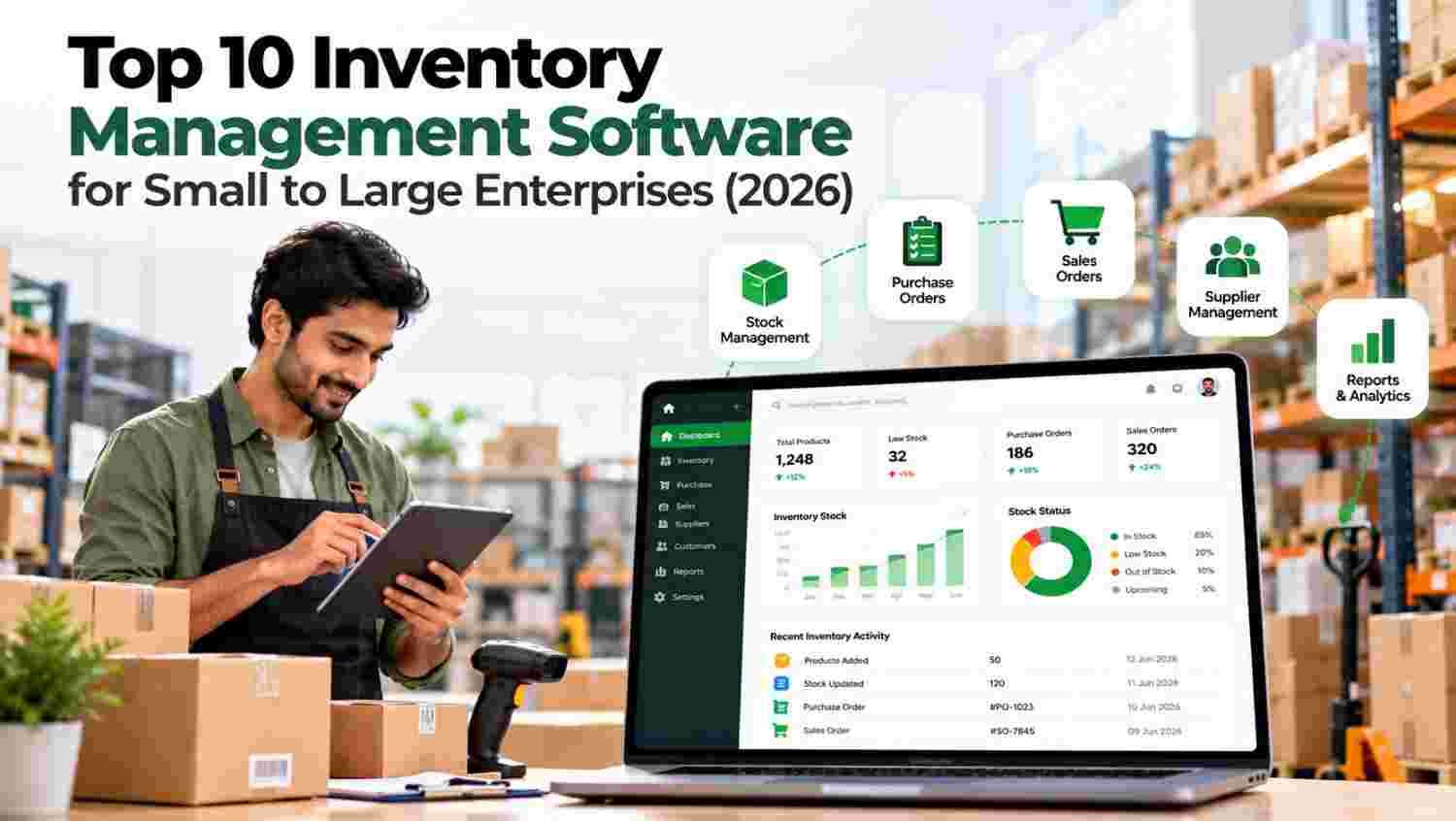
Managing inventory becomes more complicated as a business grows. A small retailer may only need to track stock and purchases, while a manufacturer or large distributor may need warehouse management, supplier coordination, demand planning, and multi-location inventory visibility.
Quick Summary
Inventory management software helps businesses monitor stock levels, record stock movements, manage purchasing, and reduce the risk of overstocking or running out of products.
Without a centralised system, employees may depend on separate spreadsheets, manual updates, and repeated communication between sales, warehouse, and accounts teams. These gaps can create incorrect stock records, delayed orders, and unnecessary purchasing costs.
A suitable inventory management system brings essential inventory activities into one workspace. Depending on the software, it can also connect stock with sales orders, purchasing, reporting, and warehouse operations.
Businesses evaluating inventory tools can explore Oracle’s inventory management, which provides enterprise-oriented inventory capabilities, or review Microsoft Dynamics 365 for broader business management requirements.
This list is organised by practical use case rather than claiming that one platform is universally the best. The comparison considers inventory controls, purchasing, warehouse support, integrations, reporting, scalability, and suitability for different business sizes.
Vendor features and plan availability can change. Businesses should verify current capabilities, pricing, and implementation requirements directly with each provider before purchasing.
| Software | Inventory focus | Important evaluation area |
|---|---|---|
| Groweon | Stock, warehouses, purchasing, reporting | Connected business workflows |
| Zoho Inventory | Orders, stock, sales channels | Plan limits and integrations |
| Oracle NetSuite | ERP and complex inventory | Implementation and total cost |
| Odoo Inventory | Modular inventory and operations | Configuration and customisation |
| Cin7 | Multichannel inventory | Channel and accounting connections |
| inFlow Inventory | Stock, orders, wholesale | Warehouse and barcode needs |
| Katana | Manufacturing and materials | Production planning |
| Unleashed | Product stock and traceability | Batch and serial requirements |
| Sortly | Visual item tracking | Advanced workflow limitations |
| Fishbowl | Warehouse and manufacturing | Integration and deployment needs |
Groweon offers an inventory management solution designed to help businesses manage products, stock movements, purchasing, and warehouses from a centralised workspace. It can be considered by businesses that want inventory control alongside related sales and order workflows.
Its published capabilities include product and warehouse management, stock-in and stock-out tracking, purchase management, low-stock and damage-stock visibility, reporting, and multi-location support.
Key capabilities
Groweon may suit manufacturers, distributors, retailers, and businesses that want to coordinate stock with sales and order processing. Review the exact features, integrations, and implementation requirements before choosing a plan.
Explore Groweon Inventory for product details.
Zoho Inventory is designed for businesses that need to manage stock, sales orders, purchasing, and connected selling channels. It is worth considering for small and growing companies that want a cloud-based solution without immediately adopting a large ERP system.
Key capabilities
Businesses already using other Zoho applications may find its connected ecosystem useful. However, the availability of specific features depends on the plan and configuration.
Explore Zoho Inventory to compare current plans and capabilities.
Oracle NetSuite is an ERP platform with inventory management capabilities for organisations handling complex operations. It can be suitable for businesses that need inventory connected with financial management, purchasing, fulfilment, and other business processes.
Key capabilities
NetSuite is generally worth evaluating when a business needs more than standalone stock tracking. Implementation, licensing, configuration, and ongoing administration should be included in the total cost assessment.
Review NetSuite inventory for details.
Odoo provides inventory management within a modular business application ecosystem. Businesses can combine inventory with sales, purchasing, accounting, and manufacturing applications according to their needs.
Key capabilities
Its modular approach may appeal to businesses that want to start with a smaller set of applications and expand over time. Configuration and customisation requirements should be assessed before implementation.
Explore Odoo Inventory for current functionality.
Cin7 is designed for product businesses that need to coordinate inventory across sales channels and operational systems. It may be useful for growing retailers, wholesalers, and brands managing multiple routes to market.
Key capabilities
Businesses should check which integrations and automation features are included in their selected product and plan. Costs may depend on operational complexity and required capabilities.
Visit Cin7 inventory to learn more.
inFlow Inventory focuses on helping product-based businesses manage stock, orders, and purchasing. It can be considered by wholesalers and small or mid-sized businesses that need more structure than a spreadsheet provides.
Key capabilities
Before selecting it, evaluate how it handles your warehouse structure, product catalogue, user requirements, and existing accounting or sales applications.
Explore inFlow Inventory for current product information.
Katana is oriented towards manufacturers that need visibility into raw materials, production, and finished goods. It can help businesses understand how material availability affects production planning and fulfilment.
Key capabilities
Manufacturers should assess whether the platform supports their bills of materials, production processes, planning requirements, and reporting needs.
Visit Katana manufacturing for more information.
Unleashed is an inventory management platform aimed at product-based businesses, including wholesalers and manufacturers. It is worth evaluating when accurate stock records, purchasing, and product traceability are important.
Key capabilities
Businesses handling batch-controlled or serialised products should verify the exact traceability features available in their chosen plan.
Explore Unleashed inventory for details.
Sortly is a visual inventory tracking solution that may suit smaller businesses that need to know what they own, where items are stored, and when stock changes.
Key capabilities
It can be useful for straightforward tracking requirements, but businesses with complex purchasing, manufacturing, or ERP needs should assess whether additional applications are required.
Visit Sortly inventory to explore its features.
Fishbowl provides inventory management capabilities for businesses that need more detailed control over stock, warehouse activity, and manufacturing processes.
Key capabilities
Its suitability depends on the complexity of your operations, the systems you already use, and the level of implementation support required.
Explore Fishbowl inventory for product details.
The following table compares typical strengths and the requirements businesses should verify. Features vary by plan, configuration, and integration.
| Software | Inventory focus | Important evaluation area |
|---|---|---|
| Groweon | Stock, warehouses, purchasing, reporting | Connected business workflows |
| Zoho Inventory | Orders, stock, sales channels | Plan limits and integrations |
| Oracle NetSuite | ERP and complex inventory | Implementation and total cost |
| Odoo Inventory | Modular inventory and operations | Configuration and customisation |
| Cin7 | Multichannel inventory | Channel and accounting connections |
| inFlow Inventory | Stock, orders, wholesale | Warehouse and barcode needs |
| Katana | Manufacturing and materials | Production planning |
| Unleashed | Product stock and traceability | Batch and serial requirements |
| Sortly | Visual item tracking | Advanced workflow limitations |
| Fishbowl | Warehouse and manufacturing | Integration and deployment needs |
Pricing is an important factor, but the lowest subscription does not always provide the best value. The total cost may include users, transaction limits, warehouses, integrations, onboarding, data migration, and training.
| Software | Pricing approach to check | What to verify |
|---|---|---|
| Groweon | Subscription plans | Users, modules, and implementation |
| Zoho Inventory | Tiered subscription plans | Order limits and advanced features |
| Oracle NetSuite | Quote-based licensing | ERP modules and implementation |
| Odoo Inventory | Application and plan options | Hosting and customisation |
| Cin7 | Product and plan-based pricing | Channels and operational scale |
| inFlow Inventory | Subscription plans | Users and inventory limits |
| Katana | Subscription plans | Production and planning features |
| Unleashed | Subscription plans | Users and traceability |
| Sortly | Tiered plans | Item and user limits |
| Fishbowl | Product-specific pricing | Deployment and support costs |
For additional pricing context, compare vendor documentation with independent software directories such as Capterra inventory and Software Advice. Current prices should always be confirmed with the provider.
The right platform should match your actual stock workflow, not simply offer the longest feature list.
Start by identifying your number of products, warehouses, suppliers, sales channels, and stock movements. A small retailer may need basic tracking, while a manufacturer may require material planning and production visibility.
If you operate multiple locations, confirm whether the software supports stock transfers, location-level quantities, and clear visibility across warehouses.
Inventory should reflect how your business receives goods, processes sales, and replenishes stock. Check whether the system can support these workflows without repeated manual data entry.
Businesses that also manage customer orders can explore Groweon Order Management to understand how order processing and inventory workflows may fit together.
Look for reports that help identify low-stock products, slow-moving items, damaged stock, and purchasing requirements. Confirm whether reorder alerts are automatic and configurable.
For broader inventory practices, GS1 standards provide useful context for product identification and supply chain data.
Confirm compatibility with your accounting, sales, ecommerce, and warehouse systems. Review user permissions, backups, data exports, and security practices before migrating business records.
The NIST Cybersecurity Framework can provide a general reference for assessing cybersecurity risk.
Include subscriptions, implementation, training, integrations, and ongoing support. A solution that looks affordable initially may become expensive if important features require additional modules or custom development.
Use a trial or demo to test receiving stock, transferring products, processing orders, handling damaged goods, and generating reports. Involve the employees who will use the system daily before making a final decision.
As businesses grow, inventory rarely operates in isolation. Sales teams need accurate availability, purchasing teams need replenishment information, and managers need reports that show where stock is moving or becoming a cost burden.
A connected Groweon business platform can be evaluated by businesses looking to bring inventory, sales, and order activities into a more organised workflow. Its published inventory capabilities include stock tracking, warehouse management, purchasing, and reporting.
Companies can also review Groweon CRM and Groweon sales CRM if they want to understand how customer and sales workflows relate to their operational processes.
The right choice still depends on your requirements. Verify integrations, supported features, and plan availability directly with Groweon before deciding.
1. What is the best inventory management software for small businesses?
The best choice depends on the type of business and its stock requirements. Zoho Inventory, Sortly, inFlow, and Groweon are options to evaluate based on whether you need basic tracking, order workflows, warehouse controls, or connected business operations.
2. Which inventory management software is suitable for large enterprises?
Large enterprises often evaluate Oracle NetSuite, Cin7, Odoo, and other platforms based on multi-location operations, ERP integration, reporting, security, and implementation requirements. The best fit depends on operational complexity and budget.
3. Can inventory management software reduce stock errors?
It can help reduce errors by centralising records, standardising stock movements, and providing better visibility. Accuracy still depends on correct data entry, disciplined processes, and appropriate system configuration.
4. Does inventory management software support multiple warehouses?
Many platforms offer multi-location or warehouse functionality, but the capabilities differ. Verify stock transfers, location-level visibility, permissions, and reporting before selecting a system.
5. Is cloud-based inventory management software better than spreadsheets?
Cloud software can provide shared access, structured workflows, and more consistent stock records. Spreadsheets may remain suitable for simple operations, but growing businesses should evaluate the risk of duplicate records and manual updates.
6. What features should manufacturers look for?
Manufacturers should evaluate raw material tracking, bills of materials, production workflows, finished goods, purchasing, and warehouse visibility. Dedicated manufacturing software may be necessary for more complex production planning.
7. How much does inventory management software cost?
Costs vary by vendor, plan, user count, integrations, and implementation requirements. Compare the complete cost of ownership rather than relying only on the advertised starting price.
The top inventory management software for your business depends on how you purchase, store, move, and sell products. Smaller businesses may prioritise simplicity and affordability, while growing distributors and manufacturers may need warehouse controls, purchasing automation, traceability, and production visibility. Enterprises should also assess integration, implementation, security, and scalability.
Compare the ten options against your real workflows, test the features your team needs, and verify current pricing before committing. A well-chosen inventory management system can improve stock visibility, support better purchasing decisions, and help your business scale with greater control.
Ready to streamline your stock operations? Book a free demo of Groweon Inventory Management and discover a smarter way to manage your inventory.
29 Oct, 2026
Managing inventory becomes more complicated as a business grows. A...

29 Oct, 2026
Quick Summary CRM software for small businesses helps organize leads,...

28 Oct, 2026
Quick Summary A multi-source CRM brings leads from Google Ads,...

28 Oct, 2026
Education CRM in India: A Smarter Way to Manage Admissions...

27 Oct, 2026
Summary CRM Software helps businesses manage customer data, sales pipelines,...