

How to Extract Data from Supplier Scans for CRM Quote…
26 Oct, 2026
A supplier emails you a price sheet. But there is...
Updated: 26th October, 2026
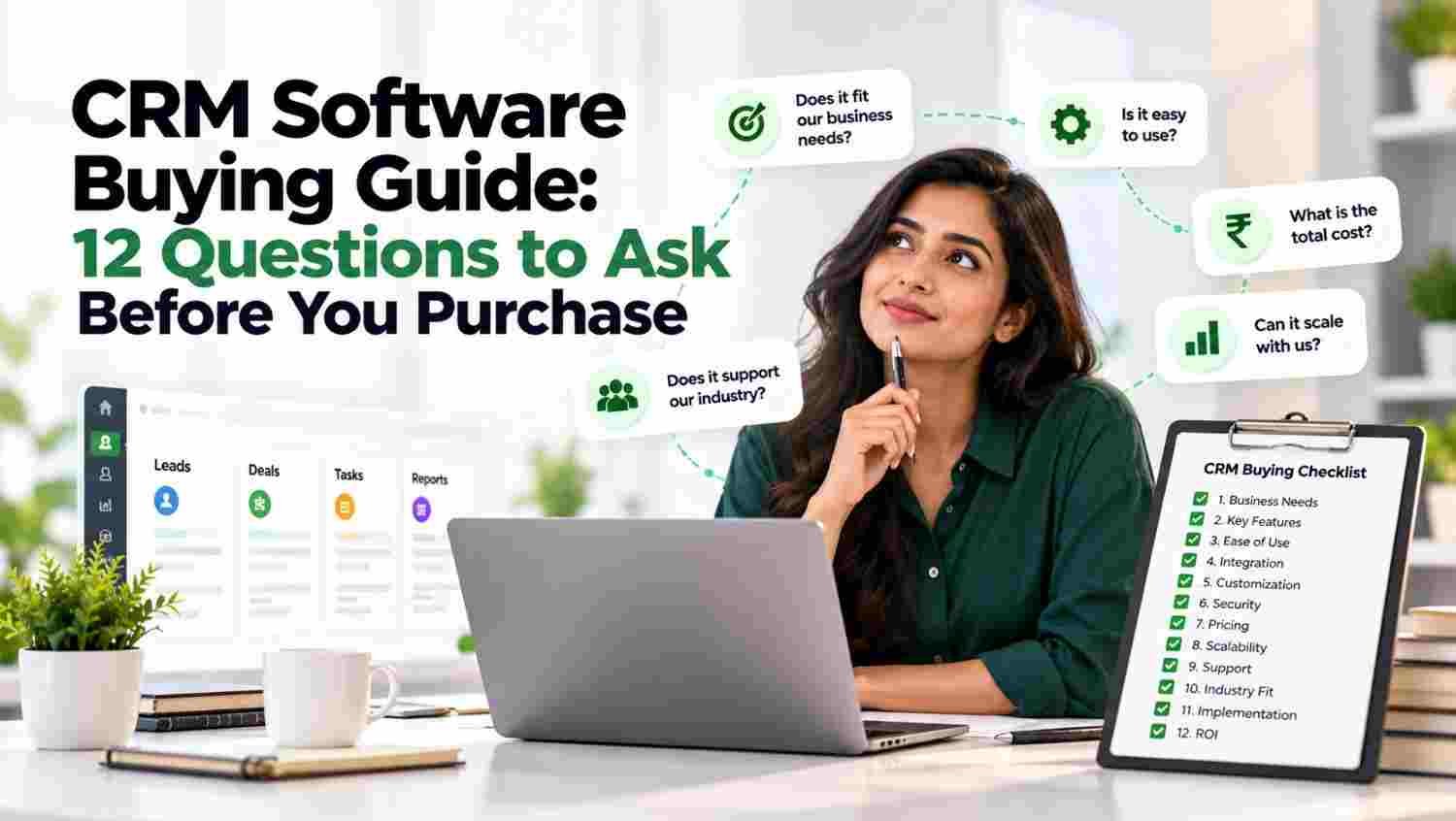
Before purchasing CRM Software, identify your biggest challenges. Are leads getting missed, follow-ups delayed or customer records scattered across spreadsheets? List the problems your team faces daily and prioritise the features that can solve them. Reviewing Groweon CRM Software can help you explore customer management and sales workflow capabilities. Avoid paying for advanced features that do not support your current business requirements.
Effective lead management software should capture enquiries from websites, phone calls, WhatsApp, email and other business channels. It should also help assign leads, record their sources and track their progress. Without centralised lead management, salespeople may overlook enquiries or contact the same prospect twice. Explore Groweon Sales CRM to understand how organised lead handling can support consistent follow-ups and better sales coordination.
Sales automation helps reduce repetitive work, including lead assignment, task creation, follow-up reminders and workflow notifications. Before purchasing, check which CRM automation features are included in your plan and whether custom workflows cost extra. Ask the provider to demonstrate a real sales process instead of showing only standard features. For examples of automation capabilities, review HubSpot’s sales automation tools.
CRM integration matters when your team already uses email, website forms, calling systems, messaging platforms or accounting applications. Confirm whether the required connections are built in, need third-party tools or require additional development. Also ask whether integrations have usage limits or extra charges. A connected system can reduce duplicate data entry, improve customer data management and help employees work from a single source of information.
A complicated interface can discourage employees from updating records and following the agreed process. During a demo, ask team members to add a lead, update its status, schedule a reminder and retrieve a customer record. Check whether the navigation is straightforward and training is available. A user-friendly CRM for small businesses should make everyday work easier rather than create additional administrative tasks.
Sales reporting should help managers understand lead sources, pipeline stages, conversion rates, follow-up activity and team performance. Check whether reports can be filtered by date, employee, team or location. Ask if data can be exported and whether dashboards update automatically. Good sales pipeline management reporting helps identify bottlenecks and supports decisions based on actual business performance instead of assumptions.
Customer records may contain contact details, communication histories and commercially sensitive information. Ask the provider about role-based permissions, encryption, backups, audit logs and data recovery procedures. Verify security certifications and compliance claims rather than relying only on marketing statements. For general guidance, consult the NIST Cybersecurity Framework. Your chosen CRM should provide appropriate controls for your organisation’s security and data protection requirements.
Your requirements may change as you add employees, locations, sales channels and customers. Check user limits, storage capacity, workflow customisation and plan restrictions before committing. Ask how pricing changes when additional users or advanced features are needed. Scalable CRM Software should accommodate business growth without forcing an expensive migration too early. Review your expected requirements over the next two to three years before making a decision.
CRM pricing involves more than the advertised subscription fee. Include implementation, data migration, employee training, integrations, premium features and renewal costs in your calculations. Ask whether the vendor charges per user or per account and whether minimum commitments apply. Compare the total cost with the expected benefits, such as less manual work and better lead visibility. A transparent pricing structure makes budgeting easier and reduces unexpected expenses.
Mobile CRM access is essential for field sales representatives and employees who frequently meet customers. Check whether users can view contact records, update lead statuses, schedule follow-ups and record visits through their phones. If offline access is important, confirm which features work without an internet connection. Businesses managing on-ground teams can explore Groweon Field Track to evaluate field activity and journey tracking capabilities.
Successful CRM implementation depends on more than installing the platform. Ask about onboarding sessions, training materials, technical support channels and expected response times. Find out whether assistance is included in your subscription or billed separately. Check whether support is available during your working hours and whether the provider helps with data migration. Reliable support helps employees resolve problems and use the system consistently.
Always request a product demonstration or trial when available. Test the features your team will use regularly, including lead capture, assignment, reminders, reporting and integrations. Involve sales representatives and managers in the evaluation. Use realistic examples rather than relying on a generic presentation. You can explore Groweon Sales CRM as part of your shortlist and ask the provider to demonstrate the workflows relevant to your business.
Compare every shortlisted platform against the same criteria. This makes it easier to identify strengths, limitations and potential additional costs.
| Evaluation Area | What to Check |
|---|---|
| Lead management | Capture, assignment and lead tracking |
| Sales automation | Reminders, tasks and workflow rules |
| CRM integration | Compatibility with existing tools |
| Reporting | Pipeline visibility and conversion rates |
| Security | Permissions, backups and data protection |
| Usability | Training, navigation and mobile access |
| CRM pricing | Subscription and additional costs |
| Support | Onboarding and technical assistance |
Score each platform from 1 to 5 in every category. Give more weight to features that solve your most important business problems instead of choosing a platform simply because it has the longest feature list.
Imagine a company receives 300 enquiries each month through its website, WhatsApp and sales calls. Employees maintain separate spreadsheets, and managers frequently discover that promising leads have not received timely follow-ups.
The company evaluates CRM Software based on lead capture, automatic assignment, reminders, reporting and ease of use. Before purchasing, it tests these workflows, checks integration requirements and calculates the full cost for its team.
After implementation, the company measures lead response time, follow-up completion and lead-to-sale conversion. These metrics help determine whether the new system is improving its sales process. The key lesson is to choose software around real business needs and measure its results after adoption.
What features should CRM Software include?
Essential features may include contact management, lead tracking, sales automation, follow-up reminders, reporting, integrations and security controls. Select features according to your workflow.
How much does CRM Software cost?
CRM pricing varies by provider, plan, number of users and required features. Compare subscriptions alongside implementation, training, integrations and renewal costs.
Is CRM Software suitable for small businesses?
Yes. CRM for small businesses can organise customer information, manage enquiries and maintain consistent follow-ups. Companies can begin with essential features and expand as they grow.
How should businesses compare CRM Software providers?
Define your requirements, compare features and total costs, test real workflows and verify security and support. Involve employees before making the final purchase decision.

26 Oct, 2026
A supplier emails you a price sheet. But there is...

26 Oct, 2026
Summary Choose CRM Software according to your sales process, business...

23 Oct, 2026
Summary Compare 10 field service and field workforce software options...

23 Oct, 2026
Summary Agentic AI enables systems to plan and execute tasks...
23 Oct, 2026
Summary Traditional CRM helps businesses organise customer data, manage leads,...