

How Businesses Can Use QR Codes to Improve Customer Engagement
26 Oct, 2026
It’s easier to scan a QR code than to type...
Updated: 26th October, 2026
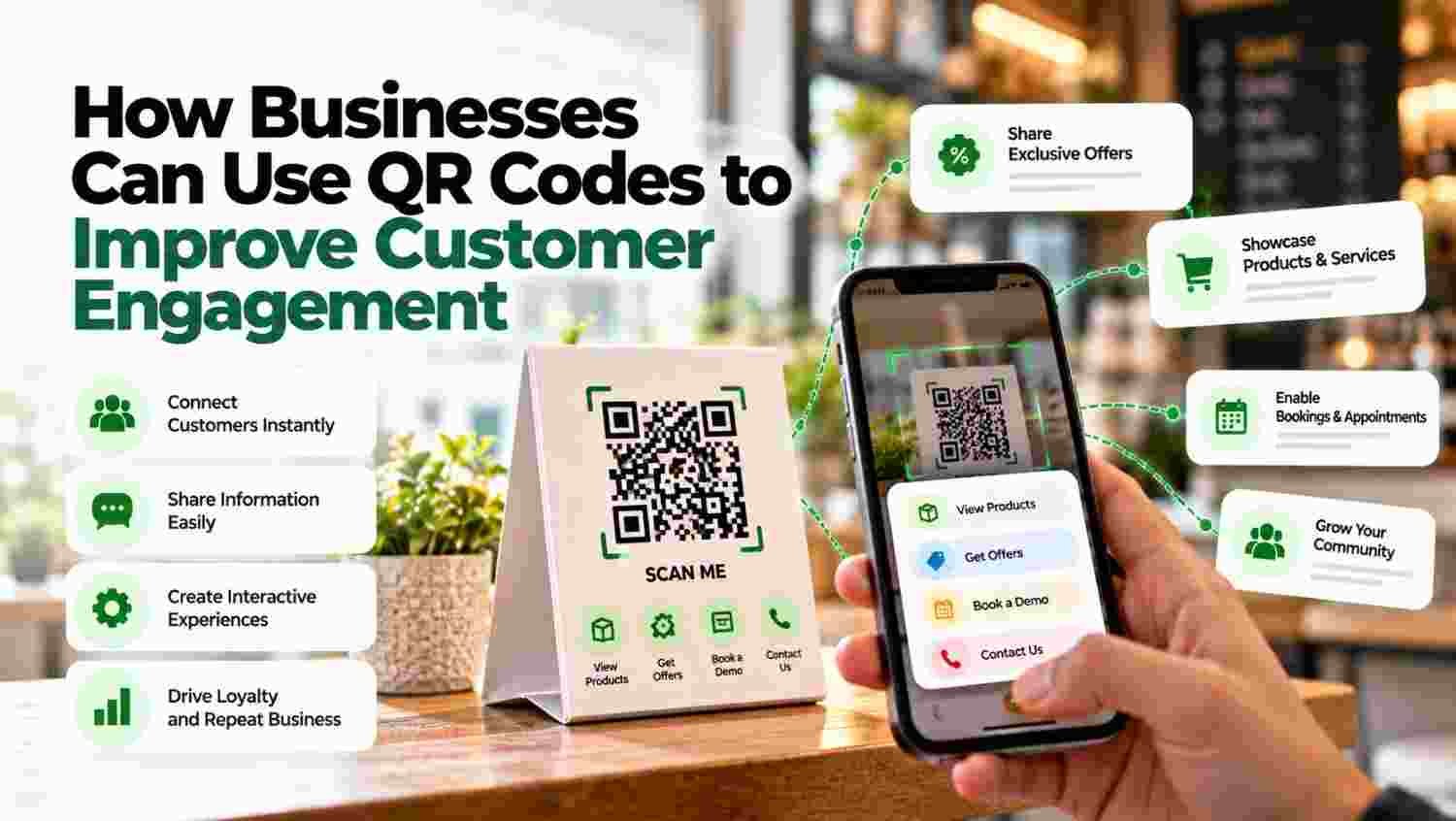
It’s easier to scan a QR code than to type a website URL manually. Businesses understand this shift, which is why they are rapidly adopting QR technology across different areas.
According to the Mordor Intelligence 2025 report, the global QR code market size is over $13 billion and projected to cross $33 billion by 2030. This stat alone shows how important it is to pay attention to this technology.
Interestingly, a QR code placed on packaging, a product shelf, or a storefront can quickly move someone from browsing to taking action. Payment is just one aspect of QR codes; businesses are now using this QR technology to interact and engage with customers.
In this article, we will explore h
Customers expect quick access to information. Whether they are exploring a product at an exhibition, reading a brochure or visiting a store, they want answers without unnecessary steps.
This is where QR codes can help. A simple scan can take customers to a website, product catalogue, enquiry form or customer support page. Instead of asking people to type a website address or search for a product online, businesses can make the next step easier.
QR codes are also useful for connecting offline marketing with digital sales processes. For example, a manufacturer can place a QR code on a product catalogue to collect enquiries, while a service provider can use one to direct customers to a booking form.
However, generating a scan is only the beginning. Businesses also need a way to understand customer interest, manage enquiries and follow up at the right time.
In this article, we explore five practical ways businesses can use QR codes to improve customer engagement and how CRM software can help turn customer interactions into meaningful business opportunities.
QR stands for Quick Response. A QR code is a two-dimensional barcode that stores information, such as a website link, text or contact details.
Customers can scan the code using a compatible smartphone camera or QR scanning application. Depending on the information encoded, the scan may open a webpage, display contact information or direct the user to another digital destination.
For businesses, QR codes offer a simple way to connect customers with relevant information at the point of interest.
For example, a visitor at a trade fair may scan a QR code on a product display to view technical specifications. If the page also includes an enquiry form, the visitor can request a quotation or product demonstration.
The process is straightforward:
A QR code does not automatically identify a customer or capture their contact details. Businesses need an appropriate landing page, form or other mechanism to collect information with the customer’s consent.
Customers often need more information before deciding whether to purchase a product. They may want to check specifications, compare options, understand features or review instructions.
Businesses can place QR codes on product packaging, brochures, display stands and printed catalogues to provide quick access to these details.
For example, an industrial equipment supplier can add a QR code to its product catalogue. When a potential buyer scans it, they can view technical specifications, product videos or downloadable documents.
This approach is particularly useful for manufacturers, distributors and B2B businesses that deal with detailed product information.
The key is to direct customers to a mobile-friendly page that answers their questions clearly. If they need additional information, include a simple option to contact the sales team or submit an enquiry.

Trade fairs, exhibitions and industry events give businesses an opportunity to connect with potential buyers. However, collecting business cards and manually entering contact details after an event can be time-consuming.
QR codes can simplify this process.
Businesses can display QR codes on exhibition stalls, product demonstrations, banners and printed marketing materials. Visitors can scan the code to access an enquiry form, request a quotation or book a product demonstration.
For example, a supplier participating in an industrial exhibition can direct visitors to a form asking for their name, company, contact details and product requirements.
Once a visitor submits the form, the enquiry can be routed into a suitable lead management process. Where a CRM integration is configured, the business can capture the enquiry in its CRM, assign it to the relevant salesperson and plan the next follow-up.
This helps businesses organise event-generated enquiries instead of relying entirely on handwritten notes or scattered spreadsheets.
By quickly scanning the code with a smartphone camera or QR scanner online, customers can access the desired information, such as product details, user manuals, or links to relevant websites.
Printed marketing materials still play an important role in many industries. Brochures, product catalogues, packaging, business cards and outdoor displays can introduce customers to a brand, but they do not always reveal what a customer wants to do next.
QR codes provide a direct link between these physical interactions and digital experiences.
A company can use different QR codes across its brochures, exhibition displays and product packaging to direct customers to relevant landing pages.
For instance, a real estate business could place a QR code on a property brochure that opens a page containing property details, available amenities and a site-visit booking form.
Similarly, an education institute could use QR codes on admission brochures to direct prospective students to course information or an enquiry form.
Businesses can use campaign-specific links and analytics to compare which materials generate more visits and enquiries. With suitable tracking and CRM integration, they can also connect enquiries to their original campaigns.
This makes it easier to understand which offline activities are generating genuine interest.
Customers may need assistance after purchasing a product or using a service. Making them search for contact details or navigate multiple webpages can create unnecessary friction.
QR codes can help customers reach the right support resource quickly.
Businesses can print QR codes on invoices, packaging, instruction manuals and service documents. These codes can direct customers to frequently asked questions, troubleshooting guides, warranty information, service booking forms or customer support channels.
For example, an automobile dealership could place a QR code on a service invoice that directs customers to a service booking page. A customer can use the page to request an appointment without searching for the dealership’s contact information.
QR codes can also lead to customer feedback forms. Businesses can collect responses, identify recurring concerns and review feedback to improve their service processes.
When feedback or support requests are captured in a connected CRM workflow, the relevant team can review the request, assign responsibility and track its resolution.
Customer engagement does not end after the first purchase. Businesses also need to maintain relationships, provide useful updates and encourage customers to return when they need a product or service again.
QR codes can support these efforts by directing customers to loyalty registration pages, exclusive offers, event invitations, product updates or customer resource centres.
For example, a retailer can place a QR code on a receipt that opens a customer feedback form or loyalty registration page. A B2B supplier could use a QR code in its product catalogue to invite interested customers to request information about new product ranges.
Businesses should make the benefit clear before asking customers to scan. A short call to action, such as “Scan to register” or “Scan to explore the catalogue”, helps customers understand what they will receive.
Where customers opt in to receive further communication, businesses can use appropriate CRM workflows to manage their preferences, organise customer records and plan relevant follow-ups.
The goal is not to send more messages. It is to provide useful information that matches the customer’s interests and stage in the buying journey.
QR codes make it easier for customers to take action, but businesses still need a process to manage the enquiries they receive.
When QR codes direct visitors to connected enquiry forms or landing pages, the submitted information can be captured and managed through a suitable CRM integration.
Businesses can use lead management software to organise enquiries, assign leads to sales representatives and manage follow-up activities.
Here is how the process can work:
| CRM capability | How it helps |
|---|---|
| Lead capture | Stores submitted customer enquiries in a central system. |
| Lead assignment | Routes enquiries to the relevant salesperson or team. |
| Follow-up management | Helps teams plan calls, meetings and other follow-up activities. |
| Lead tracking | Shows the progress of enquiries through the sales pipeline. |
| Campaign tracking | Helps compare results from different QR campaigns when tracking is configured. |
| Customer records | Keeps relevant customer interactions organised for future reference. |
For example, a company exhibiting at a trade fair can use a QR code to collect product enquiries. The form submissions can feed into its CRM, where sales representatives can review requirements, assign priorities and record follow-up activities.
A platform such as Groweon CRM can support lead management, sales follow-ups and the organisation of customer interactions as part of a business’s broader sales workflow. The exact process depends on the form, tracking setup and available integrations.
It is worth remembering that not every QR scan creates a lead. Businesses should distinguish between scans, landing-page visits, completed enquiry forms and qualified opportunities to understand the real performance of a campaign.
A QR code is useful only when customers can scan it easily and understand why they should do so. Businesses can follow these practices to improve the experience.
Choose a clear destination. Link the QR code to a specific page that matches the printed message. Avoid sending every visitor to a generic homepage when a more relevant page is available.
Add a short call to action. Use simple instructions such as “Scan to view product details” or “Scan to request a quotation”.
Make the code easy to scan. Maintain sufficient contrast, leave clear space around the code and test it at the intended print size and distance.
Optimise the landing page for mobile devices. Keep the content readable, the page responsive and the next action easy to find.
Use campaign-specific tracking. Where possible, use distinct tracking links for different brochures, locations or events. This helps compare campaign performance.
Protect customer information. Collect only the information needed for the stated purpose, explain how it will be used and handle it securely. Customers should also be encouraged to check the destination before sharing sensitive information or making payments.
Review performance regularly. Monitor scans, landing-page visits, completed forms and subsequent business outcomes. Use the results to improve the offer, landing page and follow-up process.
Counting scans alone does not show whether a QR campaign is contributing to business growth. Businesses should measure the actions that matter to their goals.
Useful metrics include:
Not every QR code provides scan analytics by default. Businesses need an appropriate tracking setup, such as a trackable QR destination, website analytics and, where relevant, CRM campaign tracking.
Reviewing these metrics together helps businesses understand whether QR codes are attracting attention, generating enquiries and supporting meaningful customer interactions.
QR codes offer businesses a practical way to connect physical marketing with digital customer experiences. From sharing product information and capturing exhibition enquiries to simplifying customer support and encouraging repeat engagement, they can make it easier for customers to take the next step.
However, the real value comes from what happens after the scan. A relevant landing page, a simple enquiry process and a reliable follow-up system help businesses make customer interactions more useful.
By combining QR campaigns with suitable tracking and CRM workflows, businesses can organise incoming enquiries, understand customer interest and evaluate which activities contribute to their sales goals.
The results will depend on the audience, offer, implementation and follow-up process. Businesses should measure actual outcomes and improve their campaigns based on customer behaviour rather than assuming that QR code adoption alone will increase engagement.
1. What is a QR code, and how does it improve customer engagement?
A QR code is a two-dimensional barcode that directs users to digital information when scanned. Businesses can use it to provide product details, share catalogues, collect enquiries and simplify access to customer support. By reducing the steps required to find information, QR codes can make customer interactions more convenient.
2. How can businesses use QR codes to generate leads?
Businesses can place QR codes on brochures, business cards, exhibition displays, product catalogues and other marketing materials. The codes can direct visitors to enquiry forms, quotation requests or demo-booking pages. When these forms are connected to a lead management system or CRM, businesses can organise submissions and plan follow-ups.
3. Can QR codes be integrated with CRM software?
Yes, QR codes can be used with CRM workflows when they direct customers to forms or landing pages connected to the CRM through a supported integration. The submitted information can then be captured, assigned and tracked. The exact capabilities depend on the QR tool, form platform and CRM integration being used.
4. How can businesses measure QR code campaign performance?
Businesses can measure scans, landing-page visits, completed forms, leads, qualified opportunities and sales outcom

26 Oct, 2026
It’s easier to scan a QR code than to type...

26 Oct, 2026
Summary FMCG CRM Software connects field sales teams, distributors, retailers...

26 Oct, 2026
A supplier emails you a price sheet. But there is...

26 Oct, 2026
Summary Choose CRM Software according to your sales process, business...

23 Oct, 2026
Summary Compare 10 field service and field workforce software options...