

Lead Management Software vs CRM: Which Does Your Team Need?
08 Oct, 2026
Summary The lead management software vs CRM choice comes down...
Updated: 8th October, 2026
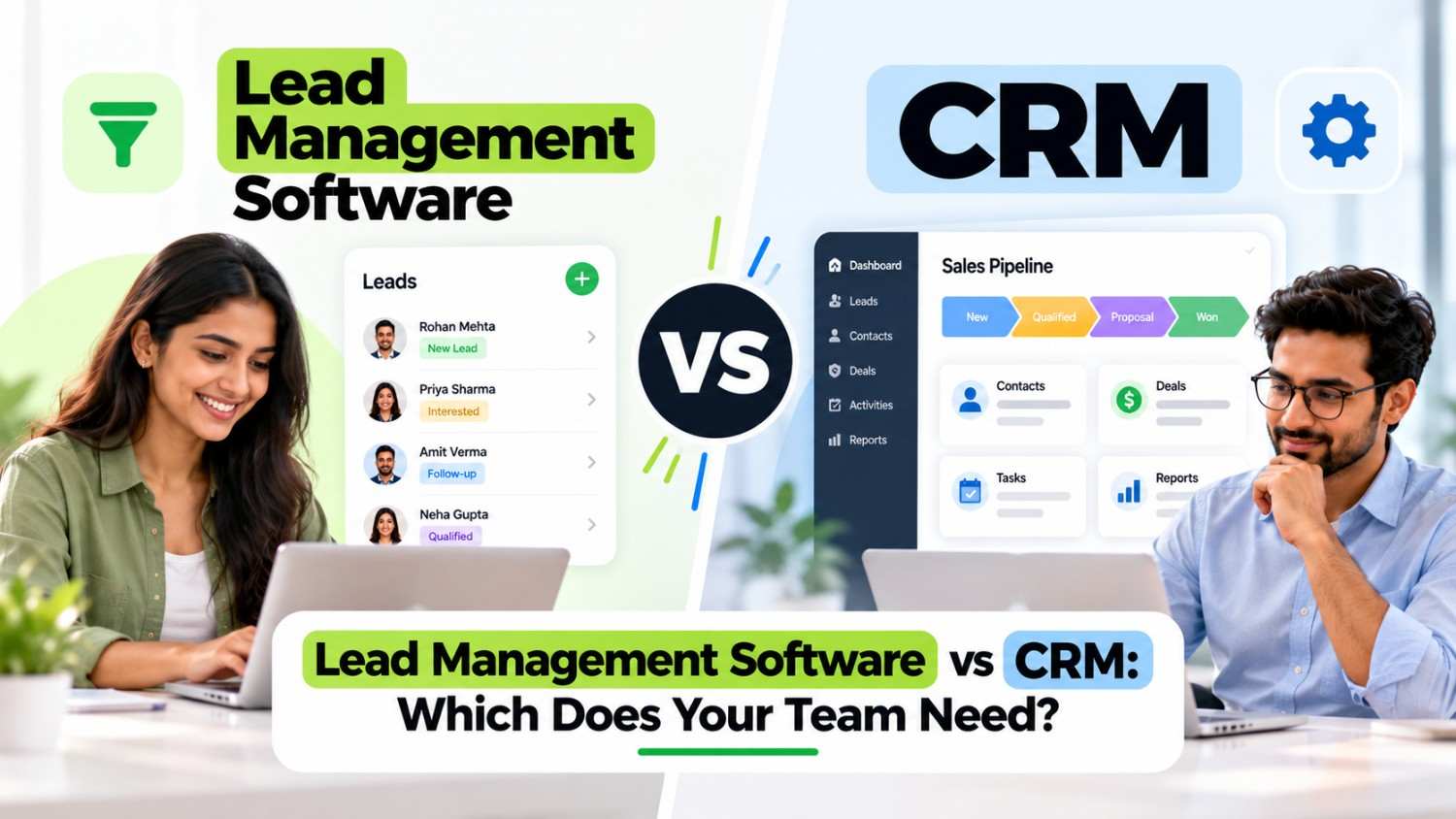
The lead management software vs CRM choice comes down to your sales cycle and what happens after the sale. First, find where you lose money today. Then pick the smallest tool that fixes it, and make sure it can grow. To see how Groweon serves both sides, book a demo, or compare named options in our top 10 lead management software guide.
Many Indian SMBs ask the same question before they buy: lead management software vs CRM, which one do we need? The honest answer depends on where your sales process hurts. If leads go unanswered, you have a lead problem. If customers churn or deals stall after the first meeting, you have a relationship problem. This guide helps you tell the difference.
We assume you already know the basics. If you want definitions or a ranked list of tools, read our top 10 lead management software in India guide. Here, we focus on the decision itself.
Lead management software handles the stretch before the sale. It captures leads, assigns them, schedules follow-ups, and shows which sources work. A CRM covers a wider span. It also stores customer records, deal values, quotes, renewals, and service history after the sale.
In other words, in the lead management software vs CRM debate, one tool focuses on speed to the first conversation, while the other focuses on the whole customer relationship. Software directories reflect this split, since they list lead management tools and CRM software as separate categories. However, many products now do both, which is why the choice feels confusing.
However, notice that the two overlap heavily on the first two points. Therefore, the real decision comes down to what happens after the first sale.
In the lead management software vs CRM choice, a lighter tool often wins in these situations.
For these teams, lead management software vs CRM is not a close call. Start light, then prove the habit, and expand later. One practitioner guide makes a similar case that lead management should come first and a CRM later for teams that mainly need to track leads.
A broader system pays off in other situations, and the lead management software vs CRM answer flips.
In these cases, a lead-only tool will feel too narrow within months. Consequently, you may want a CRM that includes strong lead management from the start.
In practice, many SMBs pick a CRM whose lead management is strong and whose extra modules stay switched off until needed. This avoids a painful migration later. Meanwhile, the team uses only the lead features at first, so the tool feels simple.
Be careful, though. Some vendors label a basic contact list as a CRM. Therefore, always test the lead features first, because that is where most SMBs gain the quickest return. For chat-heavy teams, our WhatsApp CRM buying guide shows what to check on the messaging side.
Groweon is built to serve both needs, so you do not have to pick a side. It works as lead management software for the pre-sale stage and as a CRM for everything after it. As a result, a team can start with fast lead follow-up and grow into the wider system without switching tools.
For the lead stage, Groweon covers lead capture, assignment, and automated follow-up. It also supports WhatsApp lead capture and automated responses, which suits Indian buyers who reply on chat. In addition, the Android and iOS apps let field reps update leads on the go, and our AI WhatsApp follow-up tool helps lean teams reply faster.
After the first conversation, the same account handles the deal. According to Groweon’s software listing, the platform extends to field meeting management, order stages, invoices, inventory, and AMC contract management. Consequently, sales, operations, and after-sales teams can work from one record instead of several spreadsheets.
The hybrid route avoids the migration problem described above. You can switch on only the lead features at first, then add modules as your sales cycle grows. Before you commit, ask for a demo with your own leads, and confirm the modules and plan limits that apply to your team size.
Answer honestly, and the lead management software vs CRM question usually resolves itself within a few minutes.
Whichever way you lean on lead management software vs CRM, run a short trial. First, import fifty real leads. Then ask two reps to work them for a week. Finally, check three things: how fast reps respond, whether follow-ups happen on time, and whether the manager can see source quality.
Also confirm how WhatsApp works, since it carries most Indian sales conversations. Ask whether the tool uses official access and whether chat history saves to the lead. For lean teams, AI-assisted WhatsApp follow-ups can cut drafting time, so ask vendors about that too.
Next, set a review date. After thirty days, check whether every new lead got a response within your target time. Also check whether reps log calls without reminders. If both answers are yes, you chose well. If not, adjust the setup before you blame the tool.
What is the main difference between lead management software and a CRM?
Lead management software focuses on capturing and following up leads before the sale. A CRM also manages customers, deals, and service after the sale.
Can a CRM replace lead management software?
Often yes, provided the CRM has strong lead capture, assignment, and follow-up features. However, test those features directly, because some CRMs treat leads as an afterthought.
Is lead management software cheaper than a CRM?
Usually it costs less at the start, since it has fewer modules. Even so, compare the all-in monthly cost for your team size, including users and messaging.
Which is better for a small business in India?
It depends on your sales cycle. If you close quickly and your main pain is follow-up, lead management software is enough. If you handle quotes, renewals, or service, choose a CRM.
Can I start with lead management software and move to a CRM later?
Yes, but plan for it. Ask the vendor whether you can export your data and whether an upgrade path exists, so you avoid a full migration.
08 Oct, 2026
Summary The lead management software vs CRM choice comes down...

08 Oct, 2026
Summary (TL;DR) A CRM with Meta Ads integration should do...

07 Oct, 2026
Summary (TL;DR): A free mobile CRM can replace messy notebooks...

07 Oct, 2026
Summary A mobile CRM for real estate agents keeps every...

07 Oct, 2026
Summary A WhatsApp CRM app gives small sales teams in...