Lead Nurturing Strategy: How to Convert Cold Leads into Paying…
31 Mar, 2026
Most businesses are sitting on a goldmine they’ve stopped mining....


Auto Capturing, nurturing, and converting potential customer leads.

Manage AMC contracts, track service requests, ensure timely renewals.

Tracks, resolves, manages issues, and gathers customer feedback.

Manage purchases, expenses, vendors, and POs efficiently with CRM.

Manages order lifecycle from placement to delivery completion.

Generates invoices and manages sales transactions and records efficiently.

Manages stock levels, tracks items, ensures efficient inventory control.

Manages dealer workflows, assigns leads, and tracks progress centrally.

WhatsApp CRM integration with bulk messaging, auto notifications, chatbots.

IVR enabled CRM integrates click-to-call, bulk dialling, recording features.

Achieves optimum productivity of tele-sales team with auto dialler.

Updated: 19th December, 2025
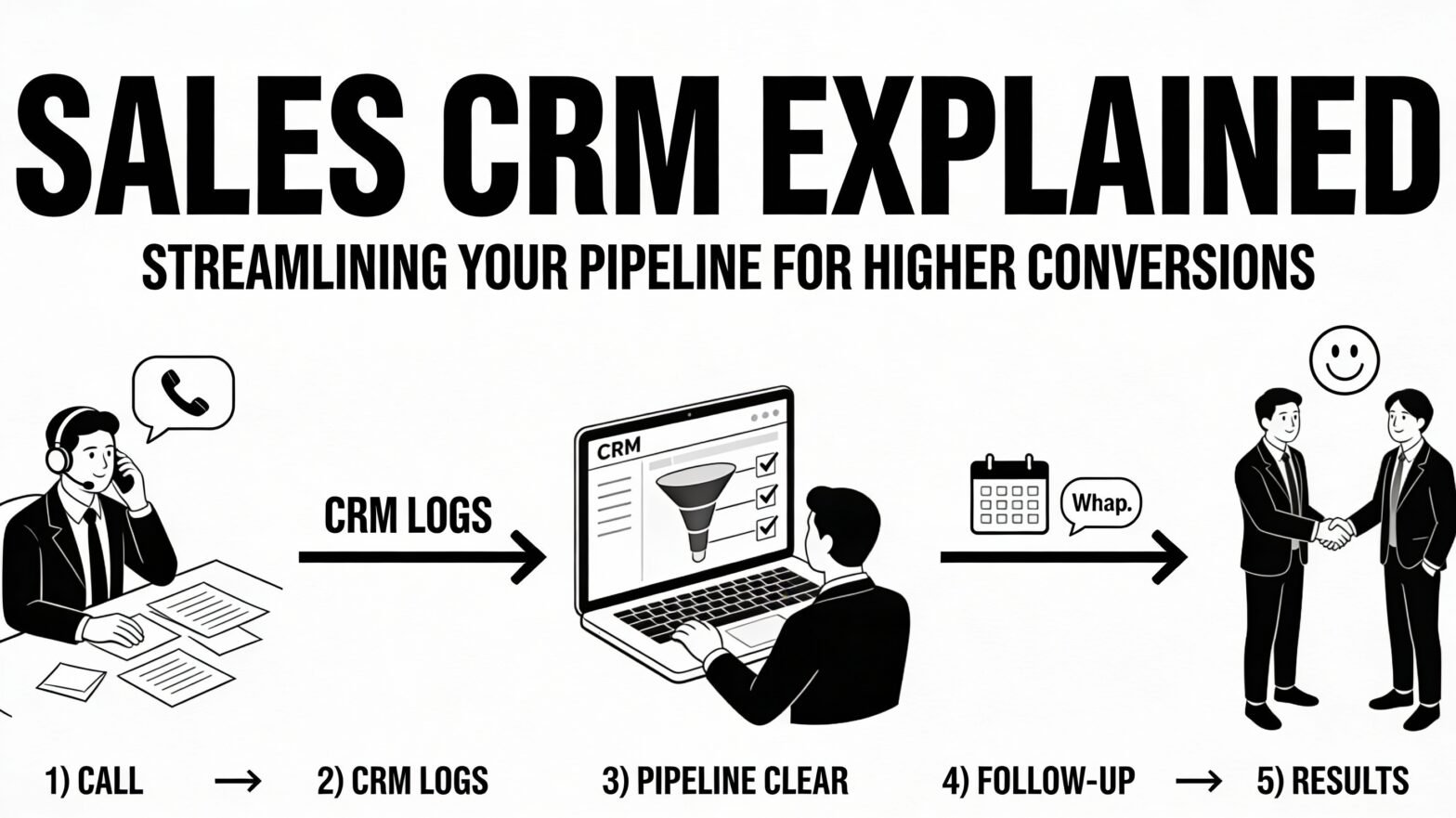
Most SMBs don’t struggle with leads—they struggle with what happens after a lead comes in. Someone calls late. Someone forgets to call. Notes are written somewhere and never checked again. After a few weeks, nobody really knows what’s going on in the pipeline. This is where a Sales CRM starts making sense. Not as software, but as a system.
In real working environments, sales management looks like this:
Sales become stressful—not because of pressure, but because of confusion.
A Sales CRM doesn’t increase sales on day one. What it does is bring clarity.
Once leads are inside a CRM:
Everything is written down. That alone removes half the daily friction.
Before using a CRM, the sales pipeline usually exists only in someone’s head.
After using a Sales CRM, it becomes visible—to everyone.
A typical sales pipeline moves through five stages:
With a CRM, you can see leads moving through each stage, not just guessing where they are. This visibility changes how sales teams work. They stop reacting late and start acting early.
Teams with clear pipeline visibility report 23-29% higher sales productivity. The difference is seeing bottlenecks instead of guessing.
Almost every lost deal has the same excuse—”we were about to call.”
A Sales CRM quietly solves this problem by:
Salespeople don’t feel chased anymore. They just know what to do next.
This is something many teams don’t admit: some leads are serious, and some are just browsing.
A Sales CRM helps you notice this naturally:
This doesn’t make sales aggressive. It makes it realistic.
Without a CRM, internal issues slow sales more than customers do.
Common problems include:
A Sales CRM fixes this simply by keeping everything open and visible to the team. No drama. No repeated explanations.
After a few weeks of proper CRM usage, patterns start showing up.
You begin to notice:
This kind of understanding doesn’t come from reports alone. It comes from consistency. Teams using CRM systematically report 40% improvement in forecast accuracy within the first quarter, simply because the pipeline is no longer a mystery.
Sales CRM doesn’t create miracles. It creates discipline.
Conversions improve because:
As lead volume increases, manual tracking becomes risky.
A Sales CRM helps by:
A Sales CRM isn’t about controlling or monitoring people. It’s about reducing confusion.
When sales teams know exactly what to do next, stress goes down, and results improve. Not suddenly. But steadily.
And in real business life, steady improvement matters more than big promises.
If your team is managing leads across Excel, WhatsApp, and scattered notes,
Groweon Sales CRM brings it all into one organized pipeline—with automatic follow-up reminders so nothing falls through cracks. Book a 15-minute demo to see how your leads, follow-ups, and pipeline come together into one clear system—within your first week.
A spreadsheet depends entirely on manual effort and memory. Data is entered inconsistently, conversations are scattered, and when a salesperson leaves, the context usually leaves with them. A CRM, on the other hand, keeps all lead data, conversations, and follow-ups structured and visible to the entire team. The system remembers what happened and what needs to happen next—so nothing relies on individual recall.
Results begin showing up in phases. In the first week, teams stop wasting time searching for old notes, messages, or updates. Within the first month, it becomes clear which leads are actually progressing and which are not. By the second or third month, follow-ups become consistent, deals move faster through the pipeline, and closures happen with less friction. The improvement is gradual but reliable.
No. A sales CRM is designed to work alongside WhatsApp, not replace it. Your team can continue communicating the way they already do, while the CRM automatically logs conversations and links them to the right lead. This keeps all communication organized and visible without changing your team’s daily habits.
Sales teams adopt tools that make their work easier, not harder. When a CRM clearly shows what needs to be followed up on, stores conversation history automatically, and removes the need for constant reminders, usage happens naturally. Resistance usually comes from tools that add extra work—not from systems that reduce confusion.
Groweon Sales CRM starts at ₹999 per user per month. In practical terms, recovering even one missed deal through better follow-ups can cover the cost. For teams losing opportunities due to disorganization or delayed responses, the return on investment becomes visible very quickly.

31 Mar, 2026
Most businesses are sitting on a goldmine they’ve stopped mining....

30 Mar, 2026
Not every lead in your pipeline deserves equal attention. Some...

30 Mar, 2026
Let’s be honest. Not every lead is worth your time....

28 Mar, 2026
Small businesses do not need a CRM built for a...

28 Mar, 2026
If you run a small business in India, there is...