CRM Implementation Guide: How to Set Up CRM Without the…
11 Mar, 2026
CRM implementation has a reputation problem. Ask any sales leader...


Auto Capturing, nurturing, and converting potential customer leads.

Manage AMC contracts, track service requests, ensure timely renewals.

Tracks, resolves, manages issues, and gathers customer feedback.

Manage purchases, expenses, vendors, and POs efficiently with CRM.

Manages order lifecycle from placement to delivery completion.

Generates invoices and manages sales transactions and records efficiently.

Manages stock levels, tracks items, ensures efficient inventory control.

Manages dealer workflows, assigns leads, and tracks progress centrally.

WhatsApp CRM integration with bulk messaging, auto notifications, chatbots.

IVR enabled CRM integrates click-to-call, bulk dialling, recording features.

Achieves optimum productivity of tele-sales team with auto dialler.

Updated: 11th March, 2026
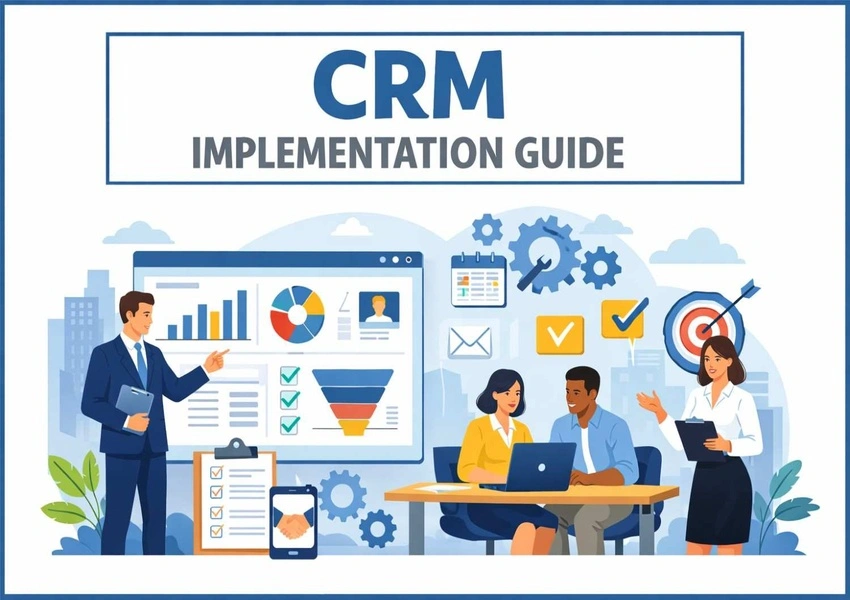
CRM implementation has a reputation problem. Ask any sales leader who has been through a failed rollout and the stories sound familiar. Months of setup. Reps who refuse to use it. Data that is incomplete from day one. A system that was supposed to transform sales but got abandoned within six months.
Gartner research consistently finds that CRM implementation failure rates range from 50% to 70%. The most common causes are not technical. They are process, people, and planning failures that could have been avoided with a clearer approach.
The good news is that CRM implementation does not have to be chaotic. With the right framework and the right platform, it can be straightforward, fast, and immediately valuable.
CRM implementation is the process of selecting, configuring, deploying, and embedding a CRM into your business operations. It covers defining your sales process, migrating data, training your team, and building the habits that make the system genuinely useful over time.
It is not just a technical project. It is a change management exercise. You are not simply installing software. You are changing how your team works, how they manage their time, and how your business measures sales performance. Getting the human side right is just as important as getting the technical side right.
The biggest mistake in CRM implementation is starting with the software instead of the strategy. Before evaluating any platform, answer these questions.
What specific problems are you solving? Are leads falling through the cracks? Is forecasting unreliable? Are reps lacking context before conversations? Define the pain points clearly. These become your success criteria.
Who will use the CRM and how? A sales rep, a manager, and a marketing lead all use a CRM differently. Map every role and define what each person needs to do their job better.
What does your sales process actually look like? Document every real stage, action, and handoff. Your CRM should reflect reality, not impose a generic template over it.
What data do you have and where does it live? Audit your existing contacts, deals, and notes before migration begins so you know what is worth keeping and what needs cleaning.
With clear requirements, platform selection becomes simple. You are checking whether specific capabilities match specific needs, not comparing every feature on a marketing page.
Key criteria: ease of use, pipeline customization, automation capabilities, integration support, reporting, mobile access, and sustainable pricing. Capterra’s CRM software reviews offer verified user feedback that reflects real implementation experiences.
For growing businesses that need power without complexity, Groweon CRM delivers customizable pipelines, smart automation, WhatsApp integration, and real-time reporting in a platform designed to be operational within a day.
The pipeline is the heart of your CRM implementation. Each stage should represent a clear, observable milestone in the buyer’s journey. A typical B2B pipeline includes: Lead Captured, Qualified, Discovery Call, Demo Delivered, Proposal Sent, Negotiation, and Closed.
For each stage, define entry criteria, required actions, and what moves the deal forward. Configure the pipeline before importing any data. Add custom fields your team actually needs and remove every field nobody will use. Unnecessary fields increase friction and reduce adoption.
Data migration is where many CRM implementations hit their first serious problem. Before importing anything, deduplicate your contacts, standardize data formats, and decide what you are not migrating. Contacts with no engagement in two years and incomplete records with no value are better left behind.
A clean start with relevant data is more valuable than a comprehensive migration of poor-quality records. After migration, audit a sample of imported records before giving the team access.
A CRM without integrations requires constant manual data entry, which is precisely the friction that kills adoption. Connect your email so every message is automatically logged, your calendar so meetings are recorded, your WhatsApp so customer conversations are tracked, and your phone system so call logs are accessible inside contact records.
Once integrations are live, build your automation workflows. Start simple: lead assignment rules, follow-up task creation when a deal changes stage, and manager alerts for high-value or stagnant deals. As your team settles in, layer in nurture sequences, behavioral triggers, and post-sale onboarding workflows.
Document every automation so your team knows what the system handles automatically and what requires their action.
Training is where most CRM implementations succeed or fail. The most effective approach is role-specific. A rep needs to know how to log activities and update pipeline stages. A manager needs to run reports and manage the forecast. Delivering the same session to everyone wastes time.
Train in small groups and focus on specific goals rather than software features. Do not teach people how to use the CRM. Teach them how to use it to find which leads need a follow-up today, update a deal before a team meeting, and send a proposal directly from the system. That connection between the tool and the work is what builds lasting habits.
Training starts adoption. Leadership sustains it. When the sales manager runs every pipeline review and forecast from the CRM dashboard, the team gets a clear message: this is how we work. When leadership bypasses the system and asks for separate reports, the message is equally clear: the CRM is optional.
Set non-negotiable standards from day one. Every lead must be in the CRM. Every active deal must have a next action and a close date. Every completed call must be logged. Address pushback by demonstrating value rather than arguing: show reps how automation reduces their admin time and how lead scoring tells them exactly who to call first.
CRM implementation is not complete when your team logs in for the first time. In the first 30 days, focus on adoption and data quality. In the first 90 days, refine your pipeline stages, automations, and reports based on real usage. After 90 days, optimize based on what the data tells you is driving the most impact.
Over-configuring at launch: Start simple. A complex system that overwhelms your team on day one is worse than a simple one they adopt immediately.
Importing dirty data: Clean before migrating, not after. Duplicate and incomplete records poison the system from the start.
No defined process before implementation: A CRM supports a process. If the process is not defined first, the CRM reflects the chaos rather than resolves it.
Treating implementation as a one-time project: The businesses that get the most from their CRM continuously review and improve their setup over time.
Groweon CRM is built for implementation speed. A standard Groweon deployment takes just 120 minutes and you can quickly get started. Pre-built pipeline templates give you a strong starting point you can customize without starting from scratch. Integrations with email, WhatsApp, and calendar work out of the box. Automation workflows are built using a visual editor that requires no technical expertise. And guided onboarding ensures the most important steps are completed correctly from the beginning.
For businesses put off by the complexity of enterprise implementations, Groweon CRM proves that a powerful, complete CRM does not have to take months or require a dedicated IT team.
A well-executed CRM implementation creates visibility where there was chaos, consistency where there was inconsistency, and data where there was guesswork. The key is defining your goals before you touch the software, reflecting your real process in the configuration, migrating clean data, training for outcomes, and driving adoption through leadership.
Groweon CRM is designed to make every step of this practical and achievable. Whether this is your first CRM or a replacement for one that never delivered, Groweon CRM gives you the platform and the simplicity to get it right this time. Book a quick demo now!
The chaos is optional. The results are not.
Q1. What is CRM implementation?
It is the process of selecting, configuring, and deploying a CRM into your business, including setting up your pipeline, migrating data, integrating tools, training your team, and driving consistent adoption.
Q2. How long does CRM implementation take?
A basic setup with a cloud CRM like Groweon CRM can be completed in one to three days. A full implementation with data migration, integrations, and team training typically takes two to four weeks for most small and mid-sized businesses.
Q3. Why do most CRM implementations fail?
Poor adoption, importing dirty data, no defined sales process before setup, and lack of leadership buy-in are the most common causes. Most failures are people and process problems, not technology problems.
Q4. How do you get a sales team to actually use a CRM?
Make it non-negotiable from the top. When leadership runs every review and forecast from the CRM and treats it as the single source of truth, the team follows. Role-specific training and demonstrating how it reduces their admin workload also drive adoption significantly.
Q5. Should I clean my data before CRM implementation?
Always. Migrating duplicate or incomplete records creates problems that are far harder to fix after the fact. Deduplicate, standardize formats, and remove records with no ongoing value before importing anything.
11 Mar, 2026
CRM implementation has a reputation problem. Ask any sales leader...

10 Mar, 2026
Every sales leader wants the same thing: more revenue, more...

09 Mar, 2026
Choosing a CRM is one of the most important technology...

05 Mar, 2026
India’s sales landscape is changing faster than most businesses realize....

02 Mar, 2026
Here is a number that should concern every sales leader:...