What Features Should a CRM for Small Businesses Have?
28 Mar, 2026
Small businesses do not need a CRM built for a...


Auto Capturing, nurturing, and converting potential customer leads.

Manage AMC contracts, track service requests, ensure timely renewals.

Tracks, resolves, manages issues, and gathers customer feedback.

Manage purchases, expenses, vendors, and POs efficiently with CRM.

Manages order lifecycle from placement to delivery completion.

Generates invoices and manages sales transactions and records efficiently.

Manages stock levels, tracks items, ensures efficient inventory control.

Manages dealer workflows, assigns leads, and tracks progress centrally.

WhatsApp CRM integration with bulk messaging, auto notifications, chatbots.

IVR enabled CRM integrates click-to-call, bulk dialling, recording features.

Achieves optimum productivity of tele-sales team with auto dialler.

Updated: 28th March, 2026
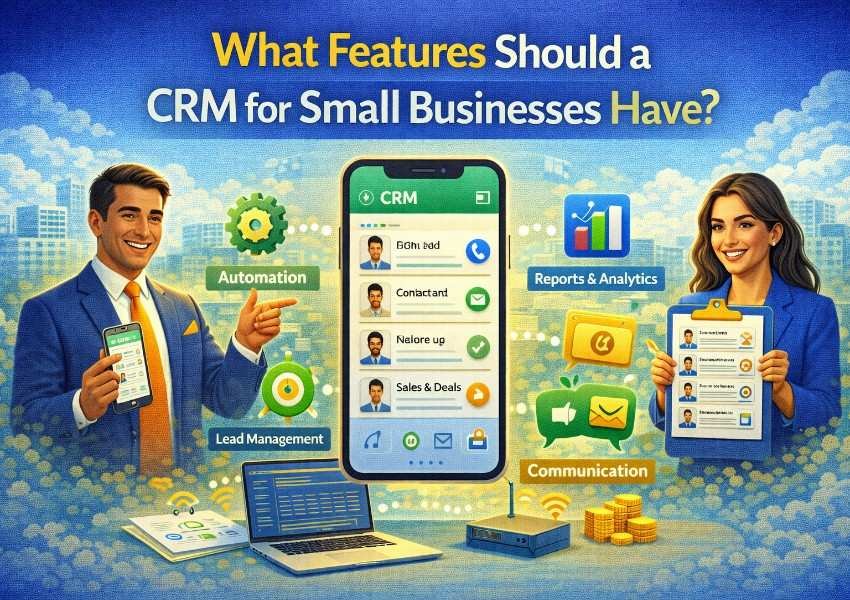
Small businesses do not need a CRM built for a 500-person enterprise. They need something that works without a dedicated IT team to run it, does not take months to implement, and actually gets used by everyone on the team because it makes their day easier, not harder.
The challenge is that the CRM market is flooded with options, and many of them are either too basic to drive real sales impact or too complex to be practical for a small team. Choosing the right CRM for small business means knowing which features genuinely matter and which ones you are paying for but will never use.
This guide breaks down the essential features a CRM for small business should have, what each one does for your team, and what to avoid when evaluating your options.
Before getting into features, it is worth being clear on why a CRM matters for small businesses specifically.
Small sales teams are often doing the work of much larger ones. A team of three is managing lead generation, follow-up, proposals, and customer relationships simultaneously. Without a system, things fall through the cracks. Leads go cold. Follow-ups are missed. There is no visibility into the pipeline and revenue forecasting is little more than guesswork.
According to Capterra’s CRM buyer insights report, businesses that use a CRM see measurable improvements in lead follow-up rates and conversion from the first month of adoption. For a small business where every deal counts, that improvement is not incremental. It is significant.
A CRM for small business does not need to do everything. It needs to do the right things simply and consistently.
This is the foundation. Your CRM should store every contact, company, and deal in one place with a complete interaction history attached to each record. Every email, call, meeting, and note should be visible in one timeline so any team member can pick up a conversation with full context, without asking the customer to repeat themselves.
For small businesses, the key requirement here is simplicity. The faster a rep can log a note or update a deal status, the more likely they are to actually do it. If contact management feels like admin, adoption drops.
A CRM for small business needs a clear, visual pipeline that shows every active deal and where it stands in your sales process at a glance. Deals should be moveable between stages by dragging, and the pipeline should be fully customizable so it reflects how your business actually sells rather than a generic template.
A well-managed pipeline is what turns your CRM from a contact database into a real sales tool. It gives your team clarity on what needs attention today and gives you the visibility to forecast revenue with confidence.
Every lead from your website, social media, ads, and referrals should flow directly into your CRM automatically, tagged with its source, and assigned to the right team member without manual sorting. This eliminates the risk of leads sitting in someone’s inbox unassigned and ensures every new prospect gets a fast, professional first response.
For small businesses that generate leads across multiple channels, automatic capture and routing is what makes a high lead volume manageable without adding headcount.
This is the feature that makes the biggest immediate difference for small teams. Automated follow-up reminders, email sequences, and task creation mean that no lead goes cold simply because a busy rep forgot to circle back.
When a deal moves to a new stage, the CRM creates the right follow-up task automatically. When a prospect has not responded in five days, a re-engagement message goes out without anyone having to trigger it manually. This consistency, applied to every lead in your pipeline, compounds into significantly better conversion rates over time.
A CRM for small business should connect to the communication channels your team actually uses. For most small businesses in India, that means Gmail or Outlook for email and WhatsApp for day-to-day customer conversations.
When email and WhatsApp are integrated with your CRM, every message is automatically logged against the relevant contact record. Your team has full conversation history in one place and never has to switch between apps to find what was said last week.
Not every lead deserves equal attention. Lead scoring automatically ranks your leads based on how well they match your ideal customer profile and how actively they are engaging with your brand. Your team starts every day knowing exactly which leads to call first.
For a small team with limited hours, this prioritization is the difference between spending time on the most likely deals and spreading effort thin across every contact in the system.
A CRM for small business should give you a clear view of your pipeline health, conversion rates, team activity, and revenue forecasts without requiring you to build reports manually. Simple, real-time dashboards that show the most important numbers at a glance are far more valuable than complex analytics that nobody has time to interpret.
The reporting questions that matter most for small businesses are: How many leads came in this week? Where are deals getting stuck? Which channels are producing the most customers? How much revenue is likely to close this month? Your CRM should answer all of these in seconds.
Small business owners and sales reps are rarely tied to a desk. A CRM for small business must have a strong mobile app that lets your team update deals, log calls, and respond to leads from anywhere. If the mobile experience is poor, field sales reps and busy founders simply will not use it and your pipeline data becomes incomplete.
This is non-negotiable for small businesses. A CRM that requires weeks of configuration, a technical specialist to set up, or extensive training before it is useful is not the right fit. The best CRM for small business gets your team up and running in a day, feels intuitive from the first login, and requires no dedicated IT resource to maintain.
According to Fit Small Business’s CRM statistics report, user adoption and ease of use are the top challenges businesses face when implementing CRM software, making simplicity non-negotiable for small teams. A powerful feature set means nothing if the team does not adopt the tool.
A CRM for small business should have clear, predictable pricing that scales with your team without surprise costs. Look for plans that include the features you actually need rather than forcing you to upgrade to access basic automation or integrations.
Knowing what to avoid is as important as knowing what to look for. Many small businesses pay for CRM complexity they will never use.
AI-powered predictive analytics are valuable at scale but add little for a team managing a few dozen deals at a time.
Territory management and complex approval workflows are designed for large enterprise sales organizations and create unnecessary configuration overhead for small teams.
Multi-currency and multi-language support across dozens of options is rarely needed unless your business operates internationally across multiple regions from day one.
Dedicated sandbox environments and advanced API customization are engineering resources, not sales tools. A small business should not need a developer to use their CRM.
Focus your evaluation on what your team needs to do their job better today, not on a feature checklist that looks impressive on paper.
Groweon CRM is designed specifically for growing businesses that need a complete, professional sales platform without enterprise-level complexity.
It combines every essential feature covered in this guide, including visual pipeline management, automatic lead capture, WhatsApp integration, follow-up automation, lead scoring, and real-time dashboards, in a single platform that is fast to set up and easy for every member of your team to use from day one.
Groweon CRM also includes inventory management, order management, and service ticket management features, giving small businesses operational capabilities that go beyond a standard CRM without requiring a separate system for each function.
Pricing is transparent and designed to be accessible at every stage of growth, so you are never paying for features you do not need or being held back by arbitrary limits on a free tier.
Book a free 20-minute Groweon CRM demo and see exactly how it fits your business.
The best CRM for small business is not the one with the longest feature list. It is the one your team actually uses, every day, because it makes selling easier and more organized.
Focus on the features that directly impact your sales performance: pipeline visibility, lead capture, follow-up automation, communication integration, and reporting that tells you where to focus. Everything else can wait until your business grows to a point where it is genuinely needed.
Groweon CRM gives small businesses the tools to build a professional, scalable sales process from day one, without the complexity, the cost, or the implementation headaches that come with the wrong platform.
Book your free 20-minute demo today and see what a CRM for small business should actually look like.
Q1. What is the most important feature in a CRM for small business?
Follow-up automation. It ensures no lead goes cold due to a busy week and no deal stalls because a reminder was missed, which directly improves conversion rates for small teams working at capacity.
Q2. How easy should a CRM for small business be to set up?
Your team should be operational within a day. Any CRM requiring weeks of configuration or a technical specialist to implement is not the right fit for a small business.
Q3. Do small businesses need all the features of an enterprise CRM?
No. Small businesses need pipeline management, lead capture, follow-up automation, communication integration, and clear reporting. Complex features like territory management and predictive AI add little value at an early stage.
Q4. Is WhatsApp integration important in a CRM for small business?
Yes, especially in India. WhatsApp is the primary channel for customer communication and a CRM that integrates it ensures every conversation is tracked and accessible in one place rather than scattered across personal phones.
Q5. How do I know when my small business has outgrown its CRM?
When you are losing deals to missed follow-ups, your team has exceeded the user limit, you cannot forecast revenue reliably, or your CRM no longer integrates with the tools your business depends on.

28 Mar, 2026
Small businesses do not need a CRM built for a...

28 Mar, 2026
If you run a small business in India, there is...

26 Mar, 2026
When you are starting out or running a lean operation,...

26 Mar, 2026
Real estate is a relationship business. Every deal starts with...

17 Mar, 2026
Email open rates hover around 20%. WhatsApp open rates sit...