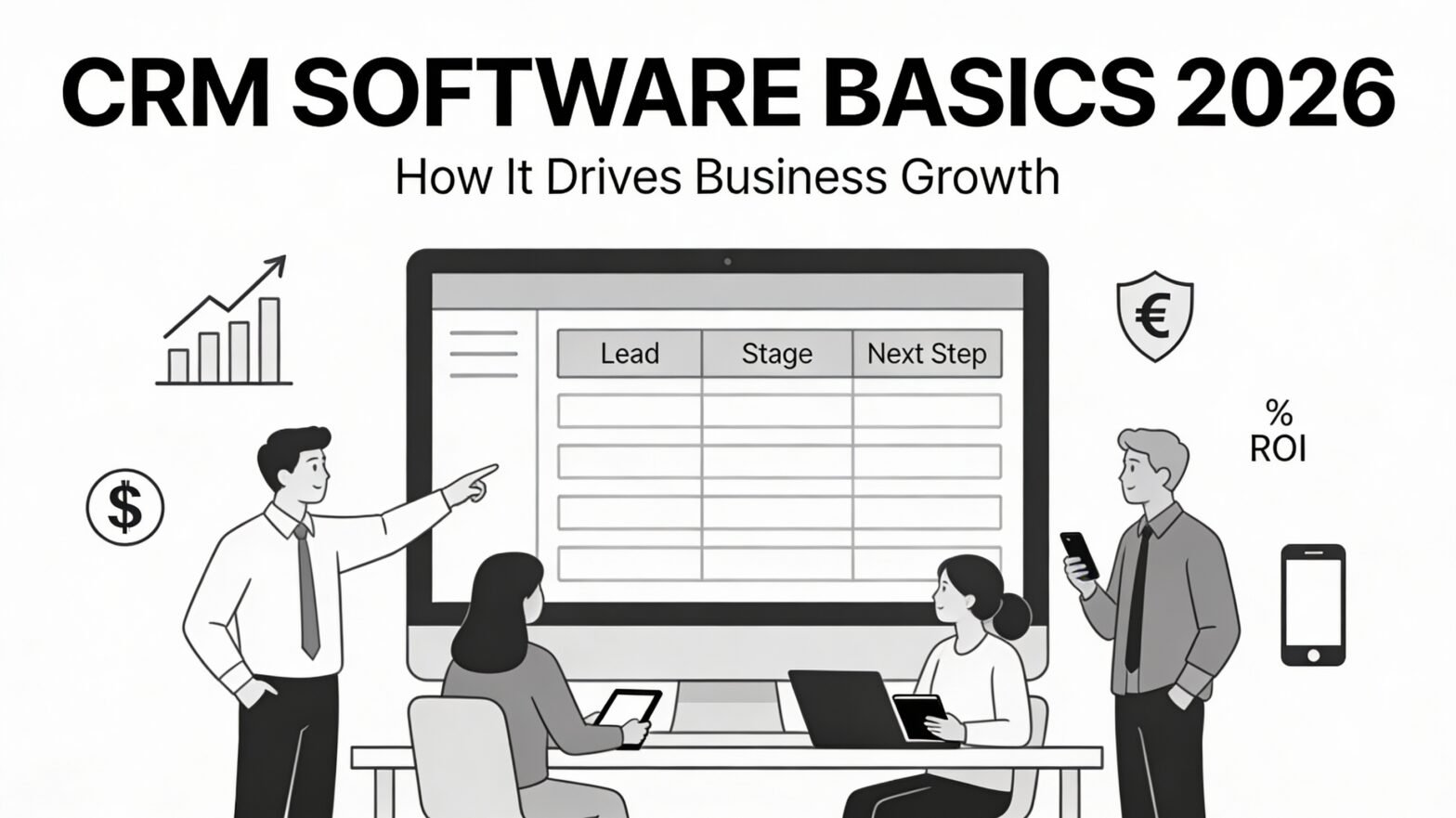
Customer Relationship Management (CRM) software is no longer optional or just for big companies. For small and mid-sized businesses especially, a good CRM is the central nervous system of sales, marketing, and customer service. In today’s digital age, it is the fastest way to turn chaos into predictable growth.
This blog explains CRM software basics in plain language and shows exactly how it drives revenue, even if you’re a team of 5 or 50.
What is CRM Software?
A CRM is a single place to manage every interaction with prospects and customers — from the very first website visit to repeat purchases years later.
Instead of customer data living in Excel sheets, WhatsApp chats, email inboxes, and people’s heads, everything lives in one secure, searchable system.
Core functions of a CRM software:
- Store complete customer profiles
- Track every email, call, meeting, and message
- Manage leads and deals in a visual pipeline
- Automate follow-ups and routine tasks
- Deliver reports and revenue forecasts
Why is CRM a Growth Engine?
CRM software for small businesses is like a magic wand. When implemented well, CRM delivers measurable impact in five proven areas:
- Zero lead leakage
Every inquiry (web form, Instagram DM, missed call) lands automatically in the CRM with source and owner assigned.
- Higher conversion rates
Automated reminders + lead scoring = your team talks to the right prospect at the right time. (Companies that excel at follow-up see 9–15% higher revenue – Harvard Business Review & InsideSales)
- Superior customer experience
Your team sees full history and context, so no one ever has to ask “Can you remind me who you are?”
- More repeat business & upsells
Segment customers, spot high-LTV accounts, and trigger timely offers.
- Data over guesswork
Know exactly which marketing channels deliver ROI, which reps close best, and where deals actually get stuck.
Real-world proof: Businesses using CRM see an average ROI of $8.71 for every $1 spent (Nucleus Research 2024).
6 Must-Have Features of a Modern CRM (2026 Edition)
| Feature |
What It Does |
Direct Growth Impact |
| 1. Contact & Account Management |
Unified profiles + notes, files, history |
Personalized outreach → higher response & conversion rates |
| 2. Visual Sales Pipeline |
Drag-and-drop deal stages + probability + forecast |
Spot bottlenecks instantly, coach reps, predict revenue accurately |
| 3. Task & Workflow Automation |
Reminders, email/SMS/WhatsApp sequences |
10–20% lift in conversions from consistent follow-up (most deals die from silence) |
| 4. Omnichannel Communication |
Email sync, WhatsApp, call logs, meeting links |
No context switching, faster decisions, happier customers |
| 5. Reporting & AI Analytics |
Dashboards + predictive scoring + churn alerts |
Double down on winning channels, cut losing ones, forecast with confidence |
| 6. Integrations & Open API |
Connects to website, ads, accounting, payments |
Eliminate double entry, keep data clean, scale without breaking anything |
Bonus 2026 trend: Built-in AI that writes emails, scores leads, predicts churn, and suggests next best actions — now standard in top platforms.
How CRM Powers the Entire Customer Journey
- Attract → Web forms, chatbots, and ad platform integrations push every lead straight into the CRM. Nothing falls through the cracks.
- Engage → Lead scoring + automated nurturing sequences educate cold leads while sales focuses on hot ones.
- Convert → Shared pipeline, proposal templates, and clear next-step tasks shorten sales cycles and reduce dropped deals.
- Delight → Onboarding workflows, support tickets, NPS surveys, renewal reminders → higher LTV and referrals.
Red Flags You Need a CRM Right Now
Check two or more and you’re already losing money:
- Customer data scattered across Excel, WhatsApp, and personal phones
- Leads sit unanswered for days
- You can’t say how many leads came in last month — or from where
- Sales forecasting is pure guesswork
- When a rep quits, their relationships walk out the door with them
- Managers have no real-time visibility into what the team is doing
How to Choose the Right CRM in 2026 (7-Point Checklist)
- Dead-simple & mobile-first – If your team won’t use it daily, it’s worthless.
- Matches your sales process – B2B complex sales? Simple B2C transactions? Pick accordingly.
- Powerful but no-code automation – Sequences and workflows you can build yourself.
- Connects to your existing tools – Website, WhatsApp Business, payment gateways, accounting.
- Transparent & scalable pricing – No surprise per-feature or per-contact fees.
- Strong security & compliance – Role-based access, local data residency if needed.
- Real support & onboarding – Live chat, local team, guided implementation.
Best Practices = Fastest ROI
- Map your exact sales stages first — then configure the CRM around them.
- Make source, deal value, and next action mandatory fields.
- Start with three automations: new-lead welcome, follow-up reminders, stale-deal alerts.
- Train reps by showing how CRM helps them earn more commission, not “more admin.”
- Owners/managers open the dashboard every single morning — no exceptions.
- Review and refine monthly.
Common (Expensive) Mistakes to Avoid
- Over-building on day one (50 custom fields no one fills)
- Buying based on brand name instead of fit
- Treating CRM as an IT project instead of a revenue project
- Letting duplicate and dirty data pile up
- Skipping team involvement in selection and rollout
Final Thought: Your Growth Operating System
A modern CRM isn’t another tool to learn — it’s the platform that aligns marketing, sales, and service around one source of truth.
Centralize data → Systematize follow-up → Measure everything → Improve relentlessly.
Businesses that do this grow faster, retain customers longer, and build revenue that’s predictable instead of chaotic.
Ready to turn your scattered leads into predictable revenue?
Book a free 15-minute demo and see why Groweon is the #1 CRM for small businesses in India.
Your next growth leap starts with one click.
FAQs: CRM Software Basics 2026
- Is CRM software only for large enterprises?
No. Modern CRM platforms are built specifically for small and mid-sized businesses as well, with simple interfaces, affordable pricing, and quick onboarding so even a 3–5 member team can benefit.
- How do I know my business is ready for a CRM?
If leads are slipping through the cracks, data is scattered across Excel/WhatsApp, or you can’t clearly see your pipeline and forecast, you’re already at the stage where a CRM will save time and revenue.
- What’s the difference between a CRM and an Excel/Google Sheet tracker?
Spreadsheets store static data; a CRM tracks every interaction, automates follow-ups, syncs communication channels, and gives real-time reports and forecasts that spreadsheets cannot provide at scale.
- How long does it typically take to implement a CRM?
For SMB-focused, cloud-based CRMs, implementation can range from a couple of hours to a few days, depending on complexity, users, and integrations—far faster than traditional on-premise systems that used to take months.
- What should I prioritize when choosing a CRM in 2026?
Focus on ease of use, no-code automation, mobile readiness, integrations with your existing tools, transparent pricing, and the quality of onboarding and ongoing support rather than just brand name