

Best Lead Management Software in India: What to Check Before…
01 Oct, 2026
Summary (TL;DR): Lead management software captures, scores, routes, and nurtures...
Updated: 24th February, 2026
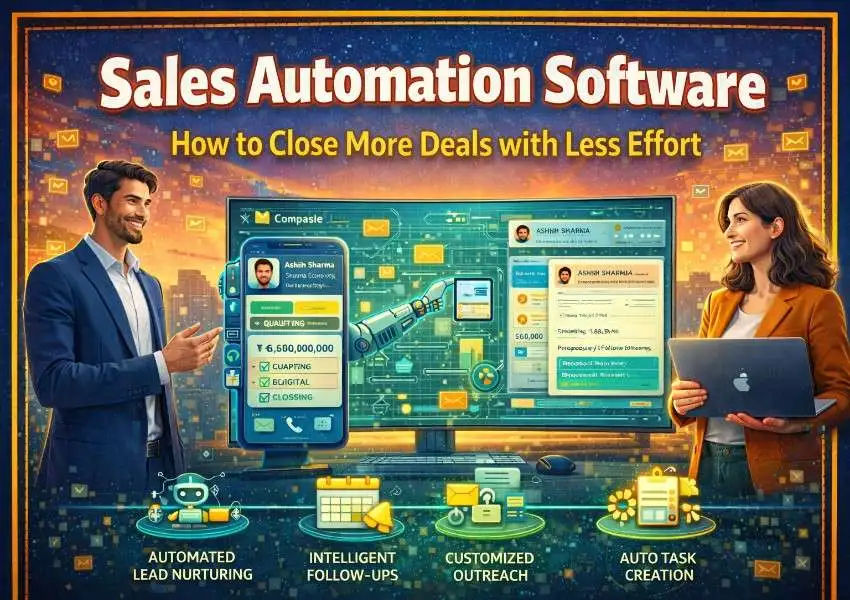
Sales is one of the most human-driven professions in business. Relationships matter. Conversations matter. Trust matters. But here is the reality: the average sales rep spends less than 36% of their working hours actually selling. The rest goes to data entry, scheduling, writing follow-up emails, updating records, and other tasks that, while necessary, do not directly move deals forward.
That is where sales automation comes in. Not to replace the human side of selling, but to eliminate the busywork that gets in its way.
Sales automation software handles the repetitive, time-consuming tasks that drain your team’s energy, so your reps can spend more time in conversations, building relationships, and closing deals. When implemented well, it does not just save time. It makes your entire sales process faster, more consistent, and more scalable.
This guide covers everything you need to know about sales automation, what it is, how it works, which tasks to automate first, and how to use it alongside a CRM like Groweon CRM to close more deals with significantly less effort.
Sales automation software is any tool or system that automates manual, repetitive tasks in your sales process. This includes everything from automatically assigning leads to reps, sending follow-up emails at the right time, updating deal stages when certain conditions are met, scheduling meetings without back-and-forth emails, and generating activity reports without anyone having to compile them manually.
Most modern CRM platforms include built-in automation features, making it possible to manage your pipeline and automate your process from a single system. Standalone automation tools can also be layered on top of a CRM when more advanced workflows are needed.
The goal of sales automation is not to make selling feel robotic. It is to make sure that every lead gets followed up with, every deal gets the attention it deserves, and no opportunity slips away simply because a rep ran out of time.
The sales landscape has changed. Buyers are more informed, more impatient, and less tolerant of slow or irrelevant outreach than ever before. A lead that fills out a form on your website at 2 PM expects to hear from someone before the end of the day, not three days later when it lands at the bottom of a rep’s inbox.
Speed is a competitive advantage. Research from Harvard Business Review found that companies that respond to leads within one hour are seven times more likely to qualify that lead than those who wait even 60 minutes longer. Manual processes simply cannot compete with that expectation at scale.
Beyond speed, consistency is the other major driver. When follow-ups are done manually, they happen when reps remember to do them. When they are automated, they happen every single time, for every single lead, without exception. That consistency compounds over time into a significantly higher contact rate, more qualified conversations, and more closed deals.
Not everything in sales should be automated. The discovery call, the negotiation, the relationship-building conversation — these need a human touch. But there is a long list of tasks that are perfectly suited to automation, and starting with the right ones makes an immediate difference.
Lead assignment and routing. When a new lead comes in, someone needs to assign it to the right rep. Doing this manually takes time and introduces inconsistency. Automated lead routing assigns every lead instantly based on rules you define, such as territory, industry, deal size, or product interest. The right rep gets the right lead the moment it enters your CRM, and response time drops dramatically.
Follow-up email sequences. Following up is where most deals are actually won, yet it is also where most reps fall short. Studies show it takes an average of eight touches to get a response from a cold prospect, but the majority of reps give up after two. Automated email sequences ensure every prospect receives a structured series of follow-ups over a defined period, without your rep having to remember to send each one. The emails go out on schedule, personalized with the prospect’s name and company, whether the rep is in a meeting or on vacation.
Meeting scheduling. Back-and-forth emails to find a meeting time are one of the biggest time thieves in sales. Automated scheduling tools let prospects book directly into a rep’s calendar based on real-time availability, cutting a process that used to take multiple emails down to a single click.
Task and reminder creation. When a deal moves to a new stage, your reps should know exactly what to do next. Automation can create the right tasks automatically. When a proposal is sent, a task is created to follow up in 48 hours. When a demo is completed, a task is created to send a recap email within 24 hours. Nothing gets forgotten because the system handles the reminder.
Deal stage updates. Manually dragging deals from one pipeline stage to the next is a small but constant drain on rep time. Automation can update deal stages when certain conditions are met, such as when a meeting is logged, when a proposal is opened, or when a contract is signed, keeping your pipeline accurate without requiring manual intervention.
Lead scoring updates. As prospects engage with your emails, visit your website, or attend your webinars, their lead score should update to reflect their growing interest. Automated lead scoring does this in real time, so your reps always know which leads are hottest and can prioritize accordingly.
Reporting and activity tracking. Building weekly sales reports manually takes hours that could be spent selling. Automated dashboards pull your CRM data in real time and present it in a clear, up-to-date format. Every rep’s activity, pipeline value, and conversion rate is visible at a glance, without anyone having to compile a spreadsheet.
Your CRM is the foundation of your sales automation strategy. It is where your contact data lives, where your pipeline is managed, and where your automation rules are configured. Without a CRM, automation tools have nothing to work with. With a CRM, automation becomes a multiplier on everything your team already does.
Here is how the two work together in practice.
When a lead fills out a form on your website, it is automatically created as a contact in your CRM, assigned to the right rep, and enrolled in a follow-up email sequence, all without anyone lifting a finger. When the rep makes a call and logs the outcome, the CRM triggers the next appropriate task. When the prospect opens the proposal email, the CRM notifies the rep in real time. When the deal closes, the CRM triggers an onboarding workflow and notifies the customer success team.
Every step is connected. Every action triggers the next. And the rep is free to focus on the conversations that require genuine human judgment, not the administrative layer that surrounds them.
Groweon CRM is built with this integration in mind. Its automation engine sits natively inside the pipeline management system, so you are not stitching together separate tools to make things work. You define your rules once and the system handles the rest, consistently and at scale.
If you are new to sales automation, starting with a simple, high-impact workflow is the right approach. Here is a step-by-step example of how to build a lead follow-up automation in your CRM.
Step 1: Define the trigger. What event starts the workflow? In this case, it is a new lead being created in the CRM via your website contact form.
Step 2: Set the lead assignment rule. The workflow automatically assigns the lead to a rep based on your routing logic, for example, all leads from the technology industry go to your enterprise rep.
Step 3: Send the first outreach email. Within five minutes of the lead being created, the CRM sends a personalized introduction email from the assigned rep’s email address. The email references what the prospect filled out on the form and offers to schedule a call.
Step 4: Create a follow-up task. If the prospect does not reply within two days, a task is automatically created reminding the rep to call. The call outcome is logged in the CRM.
Step 5: Enroll in a sequence. If there is still no response after the call attempt, the lead is automatically enrolled in a five-email follow-up sequence spaced over two weeks, each email slightly different in angle and call to action.
Step 6: Update lead status. If the prospect responds and books a meeting, the workflow automatically updates their status to “Qualified” and removes them from the sequence. If they never respond after the full sequence, they are marked as “Unresponsive” and moved to a nurture list for future re-engagement.
This single workflow, set up once, handles the full early-stage follow-up process for every lead that enters your pipeline, without your rep having to manage any of it manually.
One of the biggest fears about sales automation is that it will make outreach feel impersonal. And if done carelessly, it absolutely can. A generic automated email is easy to spot and easy to ignore.
But automation and personalization are not mutually exclusive. The best sales automation setups use CRM data to make every automated touchpoint feel relevant and timely.
This means using merge fields to insert the prospect’s first name, company name, industry, and pain point into every email. It means triggering follow-ups based on specific behaviors, so when a prospect visits your pricing page, the automated email that follows references pricing rather than sending a generic introduction. It means segmenting your leads so the messaging each group receives is specific to their role, industry, or stage of awareness.
When you combine the consistency of automation with the relevance of personalization, you get outreach that reaches every lead on time, every time, while still feeling like it came from a real person who understands their situation.
Automation for its own sake is not a strategy. You need to know whether it is actually improving your results. Here are the key metrics to track.
Lead response time. How long does it take from lead creation to first contact? Automation should bring this number down dramatically. Track it before and after implementing automated lead assignment and first-touch email sequences.
Follow-up completion rate. What percentage of leads receive the full follow-up sequence versus falling through the cracks? Before automation, this number is rarely 100%. After, it should be.
Email open and reply rates. Monitor the performance of your automated sequences. Which emails get the most opens? Which subject lines drive replies? Use this data to continuously improve your sequence content.
Stage conversion rates. Is automation helping deals move through your pipeline faster? Track conversion rates from stage to stage before and after implementing stage-based automation.
Rep activity levels. With admin tasks handled automatically, are your reps logging more calls and booking more meetings? Activity volume is a leading indicator of pipeline health.
Revenue per rep. Ultimately, the question is whether automation is helping each rep close more revenue. Track this over a 90-day period after implementation to quantify the impact.
Automation is powerful, but it can also backfire if implemented without thought.
Automating before defining your process. Automation makes a good process faster. It also makes a bad process faster. Before automating anything, make sure your sales process is documented, tested, and delivering results manually. Then automate it.
Over-automating early-stage outreach. Automation works best for follow-up and nurture sequences. The very first touch to a cold prospect often benefits from being genuinely personalized and sent by a real person. Use automation to scale what works, not to replace human judgment at the top of the funnel.
Ignoring opt-out and compliance requirements. Automated email sequences must respect opt-out requests and comply with regulations like GDPR and CAN-SPAM. Make sure your CRM automatically suppresses contacts who unsubscribe and that your sequences include proper unsubscribe options.
Setting it and forgetting it. Automation workflows need regular review. Email copy gets stale. Timing can be improved. New objections emerge. Set a quarterly reminder to review your active workflows and update them based on performance data.
Not training your team. If your reps do not understand how the automation works, they may duplicate effort, override sequences unnecessarily, or fail to pick up where automation hands off to human action. Train your team so they know exactly what is happening automatically and what requires their involvement.
Groweon CRM is built with automation at its core, making it straightforward for sales teams of any size to set up powerful, personalized workflows without needing a dedicated technical team.
With Groweon CRM, you can build multi-step automation workflows using a simple visual editor, set up lead routing rules that assign contacts instantly based on your criteria, create email sequences that go out automatically at the right intervals, trigger task creation based on deal stage changes or contact activity, get real-time alerts when a prospect opens an email or visits a key page, and track the performance of every automation workflow from a single dashboard.
Whether you are a solo sales rep trying to handle a high volume of leads or a growing team looking to create consistency across every rep’s activity, Groweon CRM’s automation tools give you the leverage to do more with the same hours in the day.
The best salespeople are not the ones who work the longest hours. They are the ones who use their hours most effectively, spending their time on conversations that matter and letting systems handle everything else.
Sales automation software is what makes that possible. It ensures no lead goes untouched, no follow-up is forgotten, no deal stalls because a rep was too busy to send an email. It creates consistency across your team that no manual process can match, and it gives your reps the breathing room to do what they do best: build relationships and close deals.
If you are ready to stop losing deals to follow-up failures and admin overload, Groweon CRM is the place to start. Book a free demo now! Set up your first automation workflow today and see what your team can accomplish when the system is doing the heavy lifting.
Q1. What is sales automation software and what does it do?
Sales automation software handles the repetitive tasks in your sales process so your reps do not have to. Things like sending follow-up emails, assigning leads to the right person, creating reminders, updating deal stages, and generating reports all happen automatically based on rules you set up once. The idea is simple: let the software handle the admin work so your team can focus on actual selling.
Q2. Will automation make my sales outreach feel less personal?
Not if it is set up thoughtfully. The key is using your CRM data to personalize automated messages with the prospect’s name, company, industry, and the specific thing they showed interest in. Automation that references real context feels relevant, not robotic. The goal is not to replace personalization but to deliver it consistently at scale, so every prospect gets a timely, relevant touchpoint even when your team is stretched thin.
Q3. Which sales tasks should I automate first?
Start with the tasks that are both high-frequency and low-judgment. Lead assignment, first follow-up emails, meeting reminders, and post-demo task creation are great starting points. These happen dozens of times a week and require no real human decision-making, making them perfect candidates for automation. Once those are running smoothly, you can layer in more advanced workflows like multi-step nurture sequences and stage-based triggers.
Q4. How does sales automation work with a CRM?
Your CRM is where all your contact data and pipeline information lives, and automation uses that data to trigger the right actions at the right time. For example, when a new lead is added to your CRM, automation can assign it to a rep, send an introduction email, and create a follow-up task, all without anyone doing it manually. Tools like Groweon CRM have automation built directly into the platform, so you do not need to connect multiple separate tools to make it work.
Q5. How do I know if my sales automation is actually working?
Track a few key numbers before and after: lead response time, follow-up completion rate, email reply rates, and your stage-to-stage conversion rates. If automation is doing its job, response time should drop, more leads should receive consistent follow-up, and deals should move through your pipeline faster. Most CRMs including Groweon CRM have built-in dashboards that make it easy to monitor these metrics without having to pull data manually.
[wpforms id=”535″]

01 Oct, 2026
Summary (TL;DR): Lead management software captures, scores, routes, and nurtures...

01 Oct, 2026
Summary (TL;DR): CRM pricing in India typically runs ₹250 to...

30 Sep, 2026
Summary (TL;DR): A CRM with native Meta Conversions API integration...

29 Sep, 2026
Summary (TL;DR): The best choice depends on whether you want...

28 Sep, 2026
Summary (TL;DR): So, a B2B CRM has moved from a...